
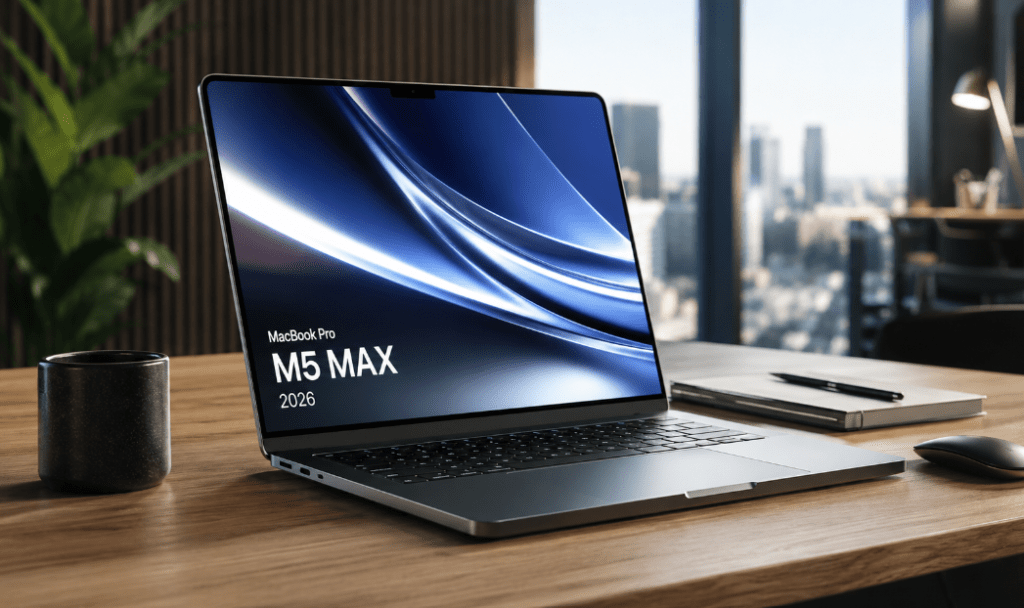
Buying a high-end laptop in 2026 isn’t about chasing the latest version—it’s about capital allocation. If you’re a developer, AI researcher, or creative professional, you don’t care about the marketing fluff; you care about whether the machine removes bottlenecks and translates into measurable productivity. That’s the real value proposition of the MacBook Pro M5. With the M5 Max chip, a 16.2-inch Liquid Retina XDR display, and 36GB of Unified Memory, Apple is pitching this as the ultimate professional workstation.
But at approximately ₹4,29,900, the stakes are high. Is this a necessary upgrade, or is it just an incremental bump that doesn’t actually change your output?
This isn’t a spec-sheet recap. In this review, I’m stripping away the hype to focus on the “why” and “how.” Whether you’re running local AI inference, compiling massive codebases, or pushing 8K timelines, I’m looking at how this hardware handles sustained, real-world pressure.
What I’m covering in this breakdown:
Performance vs. Marketing: Does the M5 Max actually outperform the M4 in workflows that matter?
The AI Pivot: Is “Apple Intelligence” a genuine productivity tool for on-device processing, or just a feature check?
The ROI Analysis: Is this a strategic asset for your stack, or is the premium price tag paying for overhead you won’t fully utilize?
I know you have better things to do than sort through generic tech reviews. My goal here is simple: to provide a data-driven, practical breakdown that helps you decide if this machine deserves a spot on your desk—or if your capital is better spent elsewhere. By the end, you’ll have a clear, objective answer on whether the MacBook Pro M5 is the right move for your specific professional requirements.

MacBook Pro M5 Specifications, Design & Build Quality: What Makes Apple's 2026 Flagship Stand Out?
When Apple drops a new MacBook Pro, the spec-sheet chase is secondary. For a professional, the real question is simple: does this hardware actually move the needle on my daily workflow? The MacBook Pro M5 isn’t trying to reinvent the wheel. Instead, Apple has doubled down on the fundamentals that define a professional workstation—silicon efficiency, sustained throughput, and reliable longevity.
Choosing Your Engine:
M5 Pro vs. M5 Max Apple is segmenting the M5 lineup to match specific professional intensity. While both chips are built for heavy lifting, the M5 Max is the surgical tool for the high-end tier. If your day-to-day involves 8K rendering, complex software compilation, or local AI model inference, the Max is where the architecture earns its keep. With 36GB of Unified Memory and a 2TB SSD, this machine is engineered to handle massive data sets without the latency spikes that usually throttle “consumer-grade” performance.
The Design Philosophy: Form Follows Function
Apple has stuck to its unibody aluminum design, and honestly, that’s the right call. In a market obsessed with shaving millimeters, Apple has prioritized thermal headroom and battery capacity. The chassis is durable, the keyboard remains reliable for marathon coding or writing sessions, and the trackpad is still the best in the business. It’s a workstation that doesn’t need to apologize for its footprint because that extra space is effectively utilized for cooling—keeping your performance consistent even when the machine is under heavy load.
The Display: Precision Over Gimmicks
The 16.2-inch Liquid Retina XDR display is still the gold standard for creative work. Apple isn’t chasing gaming-focused refresh rate gimmicks here; they’re optimizing for color fidelity, contrast, and HDR accuracy. If you’re a photographer, video editor, or designer, this display provides a level of visual certainty that makes external monitors optional for many on-the-go workflows.
Quick Specs Overview
| Feature | Specification |
|---|---|
| Processor | Apple M5 Max Chip |
| Display | 16.2-inch Liquid Retina XDR |
| Memory | 36GB Unified Memory |
| Storage | 2TB SSD |
| Connectivity | Thunderbolt 5, HDMI, MagSafe 3, SDXC |
| Wireless | Wi-Fi 7 & Bluetooth 6 |
| Camera | 12MP Center Stage |
The Reality Check On paper, this is a top-tier machine. But specs can be deceptive. The true ROI of a laptop at this level is found in the execution—how it handles your specific stack under real-world stress. In the next part of this breakdown, I’m going to move past the datasheet and look at how the M5 actually behaves during multi-app multitasking and AI-driven workflows. Let’s see if this generation truly justifies the upgrade from the M4.
Real-World Performance & AI: Beyond the Spec Sheet
A workstation isn’t defined by its processor name or how it stacks up on a synthetic benchmark. For a professional, the only metric that matters is throughput: how the machine handles a heavy, sustained workload without turning into a bottleneck. The MacBook Pro M5 is marketed as a high-end tool, so the real test is how it holds up during the chaos of a real-world production environment.
The M5 Max Architecture: Efficiency as a Feature
Apple’s approach with the M5 Max isn’t just about raw clock speeds; it’s about the integration. By keeping the CPU, GPU, and Neural Engine on a shared, high-bandwidth memory pool, Apple has effectively minimized the latency that usually throttles traditional setups. If you’re compiling code, scrubbing through 8K video, or rendering complex models, the system doesn’t just run these tasks—it maintains a level of responsiveness that feels “snappy” even when the machine is under intense load.
The Shift to Local AI
The headline feature this year is Apple’s push for on-device “Apple Intelligence.” This isn’t just a marketing tag; it’s a strategic shift for your workflow. By pushing AI processing—like local model inference, coding assistants, or data transcription—onto the device itself, you’re cutting out the latency of cloud-based services and significantly tightening your data privacy.
For engineers and devs, this means you can test and iterate on AI workflows locally. While this isn’t intended to replace massive server-side clusters for training, it is a massive upgrade for using those models in your day-to-day work without being tethered to a remote server.
Multitasking: The “No-Quit” Workflow
Let’s be honest: your current workflow is likely a mess of Docker containers, dozens of browser tabs, Slack, multiple IDEs, and heavy creative software all fighting for resources. The MacBook Pro M5 is built for this. The Unified Memory architecture and macOS resource management are tuned to keep the system responsive even when you’re pushing the limits. You shouldn’t have to quit one project to open another; the M5 is designed to keep your entire stack running concurrently without the system-wide hitching that defines lower-end hardware.
The Professional Bottom Line
This machine is for the professional who treats their laptop as a revenue-generating asset. You aren’t paying for “speed”—you’re paying for time. By reducing the friction of heavy project loads and enabling faster AI-assisted workflows, the M5 is designed to keep you in a “flow state” longer.
But does this performance justify the premium price tag against your specific needs? In the next section, I’ll break down the battery, connectivity, and the cold, hard math of the ROI to help you decide if the M5 is a necessary tool or an expensive luxury.
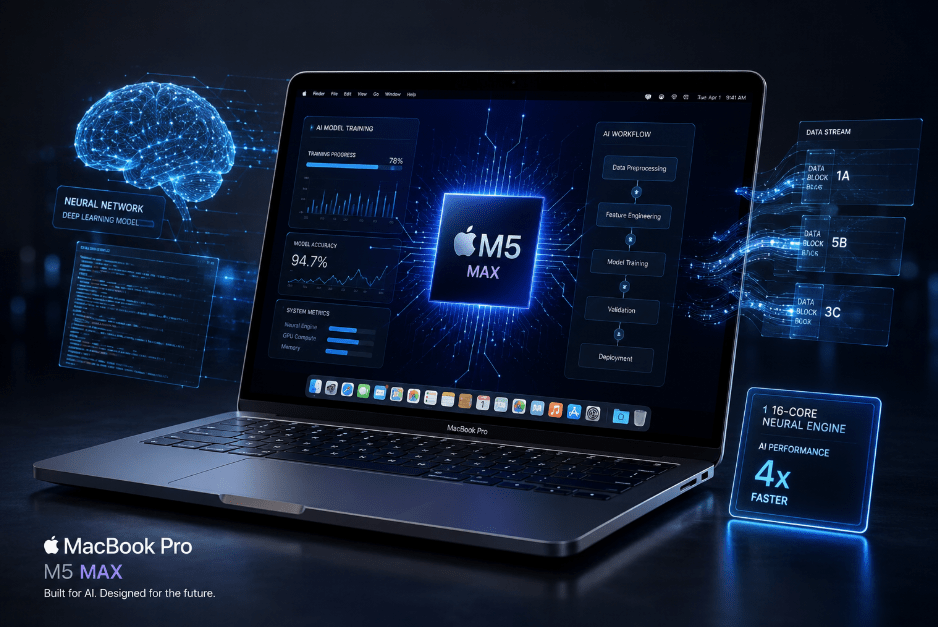
Battery, Connectivity, and the ROI: Is the M5 Actually Worth the Capital?
When you’re looking at a flagship workstation, you have to look beyond the “cool” factor. Once you move past the M5 Max chip’s benchmarks, you’re left with the real-world utility: battery endurance, I/O flexibility, and the integration of the Apple ecosystem. At a price point of roughly ₹4,29,900, this isn’t a casual purchase—it’s a capital expenditure. The question is whether the machine pays for itself in efficiency.
Battery Life: Efficiency as an Asset
The defining advantage of Apple Silicon hasn’t changed: the M5 maintains its performance curve even when you’re disconnected from wall power. For the traveling professional—whether you’re hopping between client meetings or coding in a remote location—that reliability is a productivity multiplier. You aren’t just getting “long battery life”; you’re getting the ability to keep your entire high-performance stack running away from a desk. While real-world runtime fluctuates with brightness and load, the baseline efficiency is still class-leading.
I/O and Connectivity: The “No-Dongle” Workflow
Apple has actually listened to the professional community here. By including Thunderbolt 5, an HDMI port, a dedicated SDXC card slot, and MagSafe 3, they’ve minimized the need for a desk full of adapters. Whether you’re offloading 8K footage or hooking into a multi-display workstation, the physical I/O is built to handle professional peripherals natively. Combined with Wi-Fi 7 and Bluetooth 6, the machine is future-proofed for high-bandwidth, cloud-heavy workflows.
The Ecosystem Advantage
Don’t overlook the “hidden” ROI of macOS. The integration between your hardware and your software is what minimizes the system-level friction. Features like AirDrop, Universal Clipboard, and iPhone Mirroring aren’t just bells and whistles; they reduce the time spent “moving files” and “connecting devices.” If your entire stack (iPhone, iPad, etc.) is Apple-based, this seamless continuity is a genuine productivity gain that is notoriously difficult to replicate on Windows workstations.
The Bottom Line: Is it Worth the ₹4,29,900? Let’s be clinical. The M5 is not for everyone.
The Investment Case: If you are a developer, AI engineer, or creative professional where hardware lag translates into lost billable time, the M5 is a strategic asset. You’re paying for the efficiency, the thermal stability, and the long-term reliability.
The Overhead Case: If your day is dominated by browser-based research, spreadsheets, and emails, you are objectively over-provisioned. You’re paying for headroom you won’t touch. In that scenario, a more modest machine is the smarter financial move.
The MacBook Pro M5 is a purpose-built tool. Its value isn’t found in the specs—it’s found in how much friction it removes from your professional day. If your current workflow is constantly hitting a performance ceiling, this machine is the move. If not, the “premium” price is just an unnecessary tax on your business.
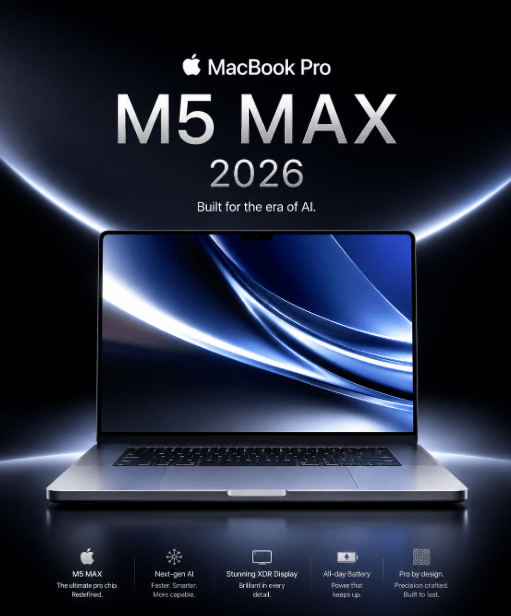
MacBook Pro M5 vs. M4: The Upgrade Math
When you’re staring down two flagship machines, the “newest” label shouldn’t dictate your purchase. For a professional, the only thing that matters is the ROI on the delta between the two generations. The M5 isn’t a radical departure from the M4; it’s a refinement of the Silicon architecture, specifically tuned for AI throughput and long-term computational stability.
The Surface vs. The Silicon
If you put them side-by-side, the M4 and M5 are virtually identical—same unibody chassis, same XDR display, same interface. The real story is under the hood. The M5 architecture focuses on deepening the integration between the Neural Engine and the memory pool, specifically to handle the growing demands of on-device AI and heavier real-time data processing.
Is the M4 Still Viable?
If you’re already running an M4 and your current stack (compiling, rendering, or multitasking) isn’t hitting a wall, stick with it. The M4 is still a world-class performer. You’re only going to feel the “upgrade itch” if your current workflow is pushing against thermal or memory limits. However, if you’re looking at a new purchase, the M5 is the obvious choice for future-proofing, especially as software starts leaning harder into local AI features.
Comparison Breakdown
| Feature | MacBook Pro M5 | MacBook Pro M4 |
| Silicon | M5 Pro / M5 Max | M4 Pro / M4 Max |
| AI Focus | Optimized Neural Engine | Strong base capability |
| Connectivity | Thunderbolt 5 (Improved I/O) | Thunderbolt |
| Best For | Future-proof AI/heavy dev | Balanced Pro workflows |
Should You Make the Move?
Upgrade to the M5 if: You’re knee-deep in local AI workflows, you need to shave off precious time on massive 8K renders, or your current machine is starting to stutter under the weight of your dev containers. It’s an investment in efficiency.
Stick with the M4 if: Your workload is solid and you’re hitting your deadlines. If your machine isn’t the bottleneck in your business, the M5 is just a capital expenditure with diminishing returns.
The Final Verdict The MacBook Pro M5 isn’t just a cosmetic refresh—it’s Apple’s commitment to an AI-driven professional environment. If you’re entering the market now, the M5 is the logical, future-focused play. But if you’re already on an M4, don’t let the marketing convince you that you’re “falling behind.” A professional workstation is about performance utility, not just having the newest model number on the spec sheet. Keep your focus on your workflow bottlenecks; let those dictate your hardware cycle.
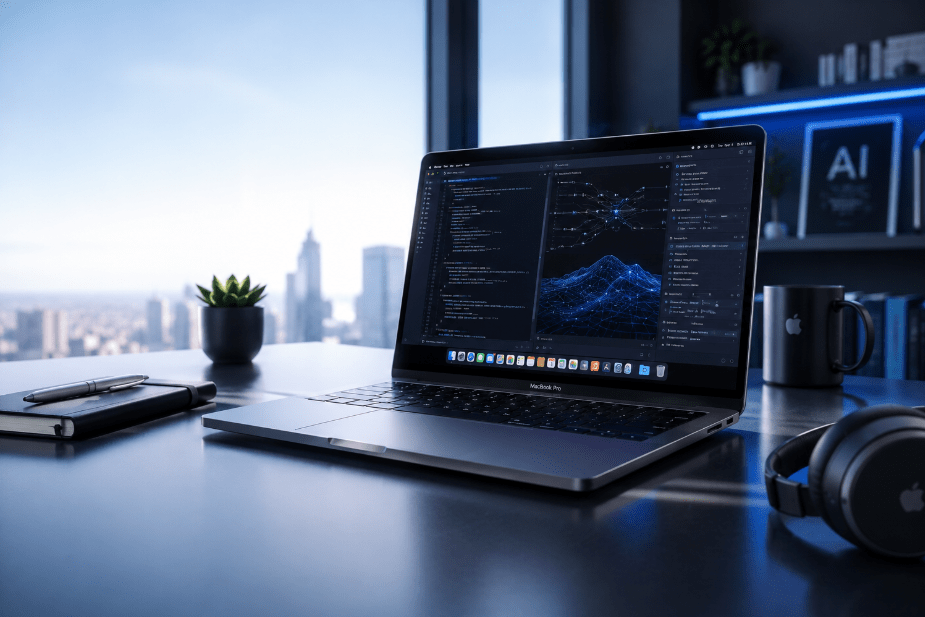
Buying Guide: Who Actually Needs the MacBook Pro M5?
Investing in a machine like the MacBook Pro M5 isn’t a casual purchase; it’s a capital allocation for your business or career. This is a workstation, not a lifestyle device. Before committing to the price, you need to be honest about whether your current stack actually hits the performance ceiling of your present hardware or if you’re just buying into the “latest model” cycle.
The Pros and Cons at a Glance
| Pros | Cons |
| Silicon Throughput: M5 Pro/Max chips are built for heavy-duty sustained loads. | The Price Tag: It’s a steep investment; ROI is the only metric that matters. |
| XDR Display: Still the industry benchmark for color-accurate, HDR work. | Fixed Specs: You’re locked into your initial RAM/Storage config—no upgrades later. |
| AI-Centric: Neural Engine is tuned for modern on-device AI/ML inference. | Over-provisioned: If you aren’t a power user, you’re paying for headroom you won’t use. |
| Ecosystem Synergy: Continuity features act as a force multiplier for Apple users. | Niche Utility: The premium is strictly for professional-grade workflows. |
The “Power User” Verdict
This machine is for the professional whose income is directly tied to their output speed. If you are a developer compiling large projects, an AI engineer training/running local models, or a creative lead scrubbing through 8K timelines, the M5 is a legitimate efficiency multiplier. It is designed to remove the “wait time” from your day.
When to Look Elsewhere
If your daily workflow consists of browser-based research, spreadsheets, standard office suites, and Zoom calls, the M5 is objectively overkill. You will achieve the same productivity on a more modest machine. Don’t confuse “having the best specs” with “having the right tool for the job.”
Frequently Asked Questions
Is it worth it in 2026?
It’s a strategic buy for professionals who need sustained performance and deep Apple ecosystem integration. If your workflow requires the headroom, the value is there.
How does it handle AI development?
The M5’s architecture is specifically optimized for local inference and AI-assisted workflows. It’s not a server-grade training farm, but for testing, automation, and local model iteration, it’s a powerhouse.
Video editing capabilities?
The combination of Unified Memory, optimized silicon, and the Liquid Retina XDR display makes this a plug-and-play solution for professional-grade creative production.
M4 to M5: Is the upgrade necessary?
Be clinical. If your M4 is currently handling your stack, the M5 is likely a diminishing return. Upgrade only if your current bottlenecks are genuinely hindering your professional output.
Final Buying Advice Before you pull the trigger, ignore the marketing noise. Ask yourself: Does this laptop solve a specific, recurring bottleneck in my daily workflow?
If it cuts your build times, accelerates your renders, or streamlines your AI experimentation, then it’s an investment in your own efficiency. If not, don’t feel pressured by the “newness” of the hardware. The best tool is the one that allows you to do your best work—not necessarily the most expensive one on the shelf.
Final Verdict: Is the MacBook Pro M5 Your Next Professional Asset?
After drilling down into the M5’s thermal performance, AI throughput, ecosystem synergy, and sheer day-to-day utility, one thing is definitive: this isn’t a “consumer” device. It is a purpose-built workstation. Apple hasn’t tried to reinvent the MacBook Pro; they’ve refined it into a surgical tool for professionals who treat their hardware as a revenue-generating asset rather than a status symbol.
The Professional Edge
The M5 Max—paired with that unified memory architecture and the neural engine’s deeper integration—is all about removing the “friction” from your workflow. Whether you’re dealing with massive codebases, high-resolution rendering, or local AI model inference, this machine isn’t just “fast”—it’s stable under sustained load. When you combine that throughput with the XDR display and the quiet efficiency of Apple Silicon, you get an environment that keeps you in a flow state, which is the ultimate goal for any pro.
The AI Pivot
Apple’s commitment to on-device “Apple Intelligence” is the M5’s most critical strategic play. By shifting compute-heavy AI tasks—coding assistants, data analysis, and automation—away from the cloud and onto the local silicon, you’re gaining both latency and security. For a researcher or dev, this is the future-proofing you’re paying for.
The ROI Reality Check At ₹4,29,900, let’s be clear: this is a capital expenditure.
The Investment Case: If your billable hours or project turnaround times are hindered by hardware lag, the M5 is an efficiency multiplier that pays for itself.
The Overhead Case: If your output relies on standard productivity suites or browser-based tasks, this machine is objectively over-provisioned. Don’t pay for headroom you won’t use; your capital is better allocated elsewhere.
Final Scorecard
| Category | Rating |
| Design & Build | ⭐⭐⭐⭐⭐ |
| Display Quality | ⭐⭐⭐⭐⭐ |
| Performance | ⭐⭐⭐⭐⭐ |
| AI Capabilities | ⭐⭐⭐⭐⭐ |
| Battery Life | ⭐⭐⭐⭐⭐ |
| Connectivity | ⭐⭐⭐⭐⭐ |
| Value for Money | ⭐⭐⭐⭐☆ |
| Overall Score | 4.8 / 5 |
The Bottom Line
The MacBook Pro M5 is the current gold standard for professionals embedded in the Apple ecosystem. It’s a reliable, high-performance engine for developers, AI engineers, creative leads, and power users who need their hardware to just work at maximum capacity.
My Advice: Don’t let the marketing hype dictate your cycle. Review your current bottlenecks. If your M4 is doing its job, the M5 is an incremental improvement. But if you’re looking to scale your infrastructure and need a machine that can handle the next several years of AI-integrated workflows, this is the tool to get.
Affiliate Disclosure: This article contains affiliate links. As an Amazon Associate, I may earn a commission from qualifying purchases made through these links—at no additional cost to you. These commissions support the research and technical breakdowns published on MarketingWithSoumyaditya.in, allowing me to continue providing objective, data-driven buying guides.
Affiliate Disclosure: This content may contain affiliate links. If you purchase through these links, I may earn a commission—at no additional cost to you—which helps support the time invested in these technical breakdowns.
Pingback: Google Ads Cost in India (2026): Pricing, Budget & ROI Guide