
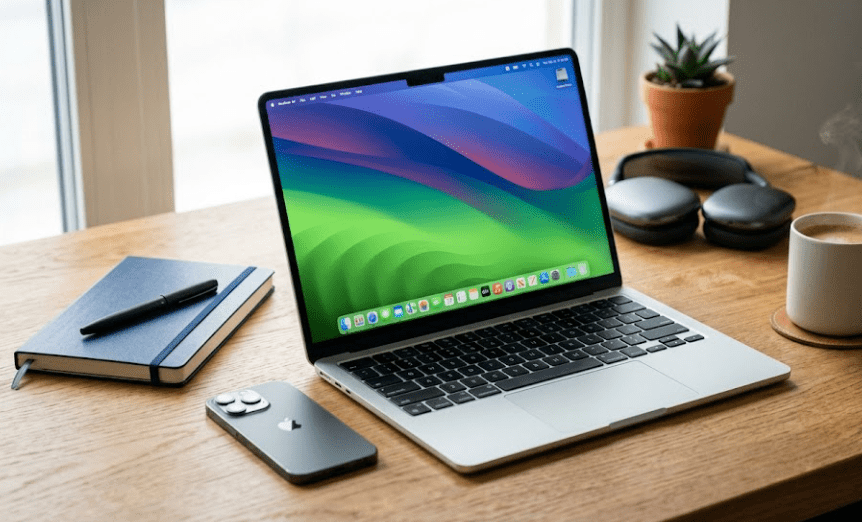
Apple MacBook Air M5 Review (2026): Is It Worth Buying? Features, Price, Specifications & AI Performance
Look, the whole deal with the MacBook Air M5 in 2026 is that Apple is basically pushing this ultra-portable performance for students, professionals, and creators and they are framing it heavily as an AI-ready machine built around the new M5 chip and their upgraded Apple Intelligence. The configuration I’m reviewing has 16GB unified memory and a 512GB SSD with that 13.6-inch Liquid Retina display and what’s honestly the biggest highlight here is how they are focusing on processing all the AI stuff natively on-device for privacy instead of just throwing your data into the cloud. On top of that they packed in Wi-Fi 7, Thunderbolt 4, a 12MP Center Stage camera, and up to 18 hours of battery life while keeping the whole thing at a super light 1.24 kg but obviously picking a premium laptop means you have to look past the marketing specs and see if it’s actually worth the money compared to older Air models or Windows ultrabooks, so we are going to break down the real-world performance, features, and price to see if this is actually the right investment for your specific workflow.
If you want to see how these benchmarks stack up against previous generations, check out this MacBook Air M5 Real World Review which breaks down whether the processing jump is actually worth the price hike.
Design, Display & Build Quality – Thin, Premium and Built for Everyday Productivity
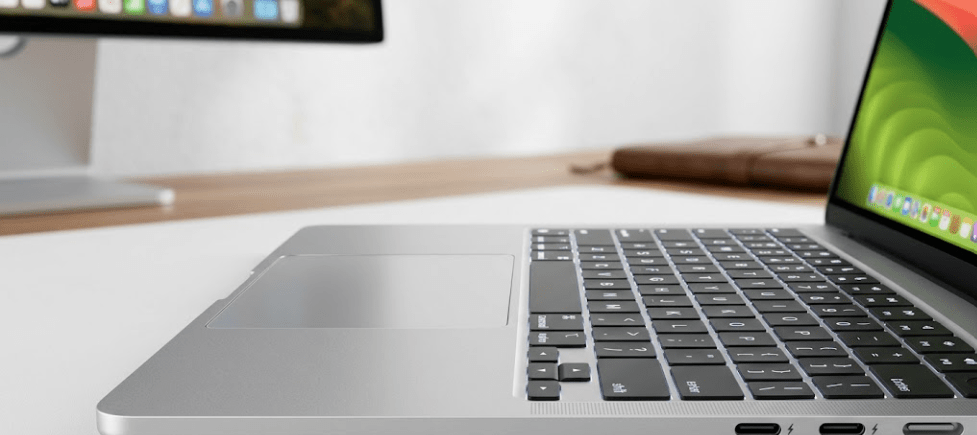
Look, a laptop’s performance is obviously a huge deal but your first impression always starts with the actual design, display, and overall build quality and the MacBook Air M5 basically continues Apple’s whole philosophy of mixing premium craftsmanship with total portability. Instead of introducing a completely new design they are just refining an already successful formula by upgrading the internal hardware while keeping that exact clean, minimalist aesthetic that everyone associates with the MacBook Air lineup. It’s built from this precision-machined 100% recycled aluminum enclosure that gives you a super premium feel the second you open the lid, and because the chassis is so slim and rigid with zero flex it easily handles everyday travel while weighing only around 1.24 kg which means you can carry it comfortably between classrooms, offices, or client meetings without sacrificing on actual build quality.
Premium Design That Prioritizes Portability
Apple’s minimalist design language is still one of the biggest selling points here and the clean aluminum finish with those rounded edges and a compact footprint creates a really professional look whether you are a developer, marketer, entrepreneur, or student. The Silver variant I’m reviewing has a completely timeless look even though Apple offers other color options depending on your region and configuration. And despite how slim the profile is the whole thing feels exceptionally sturdy with a precision hinge mechanism that lets you open and close it smoothly, and they paired it with that massive Force Touch trackpad which still gives you one of the most accurate navigation experiences on any laptop along with a full-size backlit Magic Keyboard that keeps typing completely comfortable for massive coding, documentation, or writing sessions.
Liquid Retina Display Delivers Excellent Visual Quality
The real standout feature on this M5 model is the 13.6-inch Liquid Retina display because at a 2560 × 1664 resolution with support for 1 billion colors everything looks insanely sharp with vibrant colors and impressive contrast across basically any content you throw at it. Whether you are editing photos, designing presentations, watching videos, or analyzing massive spreadsheets and doing SEO work the text clarity and color consistency is incredible for digital marketers and creators who need that visual accuracy for their productivity workflow. On top of that the display technology completely saves you from eye strain during extended work sessions because the text appears so crisp, and when you combine that with macOS scaling it gives you an amazing balance between a massive usable workspace and pure readability.
Built for Modern Professional Workflows
While the MacBook Air M5 maintains its thin profile, Apple has equipped it with practical connectivity options that support modern workflows. Users have access to:-
| Feature | Specification |
|---|---|
| Display | 13.6-inch Liquid Retina |
| Resolution | 2560 × 1664 |
| Colour Support | 1 Billion Colours |
| Weight | 1.24 kg |
| Build Material | Recycled Aluminium |
| Ports | 2× Thunderbolt 4, MagSafe 3, 3.5 mm Headphone Jack |
| Wireless | Wi-Fi 7 & Bluetooth 6 |
First Impressions
Look, even though the MacBook Air M5 is designed primarily as an ultraportable laptop rather than a heavy-duty workstation, its exact combination of premium construction, high-quality display, lightweight design, and a refined user experience makes it easily one of the absolute strongest options in its entire category. Apple basically focused heavily on upgrading the exact things that matter most for your daily use—like comfort, portability, visual quality, and overall reliability—all while completely preserving that elegant, classic design that has defined the MacBook Air for years.
In the next section, we are going to dive straight into the actual Apple M5 chip, real-world performance benchmarks, AI capabilities, heavy multitasking, and whether this MacBook Air M5 actually delivers enough raw power for students, professionals, developers, and content creators here in 2026.
Apple M5 Performance, AI Capabilities & Real-World Experience – Can the MacBook Air M5 Handle Modern Workloads?
Look, performance has always been one of the biggest reasons people choose a MacBook and the MacBook Air M5 completely continues that tradition by introducing Apple’s latest generation of Apple Silicon. While the Air is still an ultra-portable laptop rather than a full-blown workstation, the new M5 chip significantly improves your processing efficiency, AI acceleration, multitasking, and overall responsiveness compared to older generations. And unlike traditional laptops that rely on completely separate CPU, GPU, and memory components communicating across different hardware layers, Apple is still using its Unified Memory Architecture which lets the processor, graphics engine, and Neural Engine access the exact same high-speed memory pool to reduce latency and improve efficiency during demanding tasks, so you get a system that feels insanely fast not just in benchmark tests but in your everyday professional workflows.
Apple M5: More Than Just a Faster Processor
The whole deal with the Apple M5 chip is that it’s designed to balance raw performance with exceptional energy efficiency, so instead of just focusing on clock speeds Apple optimized how the hardware interacts with macOS to let applications launch quickly and keep multitasking completely smooth while background processes consume less power. The configuration I’m reviewing has 16GB of Unified Memory and a 512GB SSD which gives you a solid foundation for productivity, software development, content creation, and AI-assisted workflows. That fast SSD storage means quicker boot times, rapid file transfers, and smooth application loading while the Unified Memory architecture lets you keep multiple demanding apps open at the exact same time without noticeably slowing anything down, so for everyday users the MacBook Air M5 feels completely fluid when you’re switching between browsers, video calls, cloud storage, and creative software instead of constantly having to manage your memory or close out applications to maintain an efficient workflow throughout the day.
AI-Ready Computing with Apple Intelligence
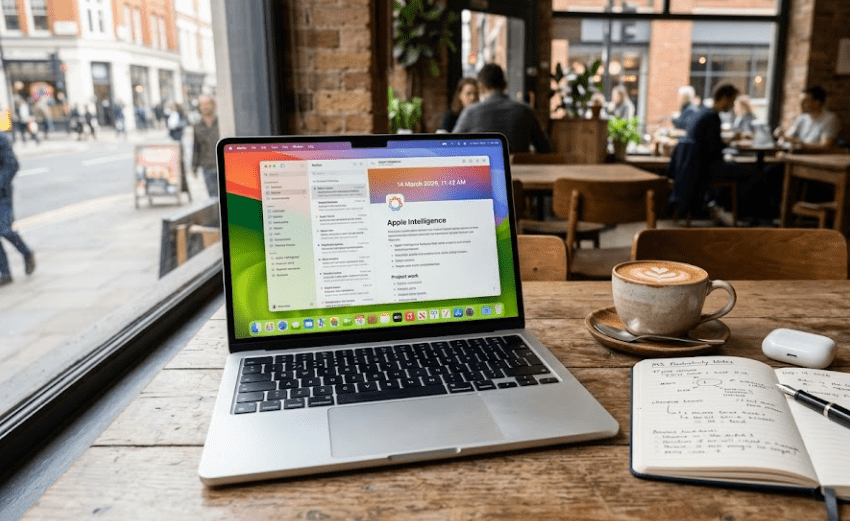
Look, artificial intelligence is basically the defining trend in computing right now and Apple has made AI the absolute core focus of the MacBook Air M5. Through Apple Intelligence, you are getting these on-device AI features designed to completely boost your productivity while keeping your user privacy locked down. The main thing here is that unlike cloud-only AI systems, a lot of these Apple Intelligence features are processed directly on the laptop itself, which reduces your dependency on a stable internet connection and keeps your sensitive data private, meaning AI-assisted writing, summarization, language refinement, and organization just become a natural part of your normal everyday computing experience instead of some separate app you have to constantly jump into. The enhanced Neural Engine inside the M5 chip accelerates these machine learning workloads to make the laptop way more capable of running AI software as developers keep integrating artificial intelligence into their apps, and while this MacBook Air M5 obviously isn’t meant for enterprise-scale AI model training, it performs incredibly well for local AI-assisted workflows like document summarization, intelligent writing assistance, image organization, transcription, and research support.
Real-World Performance Across Different Workflows
Performance is something you always have to evaluate based on the actual type of work you are doing, and honestly, the MacBook Air M5 is versatile enough to support a huge range of professional and educational setups. For students, you benefit from fast application launches, great portability, and long battery life while handling assignments, presentations, online learning, and research. Business professionals can comfortably manage massive spreadsheets, presentations, video meetings, project management software, and cloud collaboration with zero performance hiccups.
Then for digital marketers and SEO professionals, you can efficiently run Google Analytics, Google Search Console, browser-based SEO tools, keyword research platforms, and content management systems while keeping tons of browser tabs open at the exact same time without the machine slowing down. Developers can write code, manage local development environments, compile projects, and test applications with completely reliable responsiveness for all your common development tasks. And content creators doing photography, graphic design, or moderate video editing will absolutely appreciate how the M5 chip mixes with that fast SSD storage and Apple’s optimized software ecosystem, though obviously if you are a professional doing heavy 3D rendering, massive visual effects, or advanced cinematic production you are still going to find the MacBook Pro lineup much better suited for those intensive workloads.
Performance Summary
The Apple MacBook Air M5 demonstrates that high performance no longer requires a bulky laptop. By combining the efficient Apple M5 chip, 16GB Unified Memory, Apple Intelligence, and macOS optimization, Apple delivers an ultra-portable laptop capable of handling the majority of modern productivity, business, educational, and creative workflows with confidence.
Rather than competing as a heavy-duty workstation, the MacBook Air M5 excels as an intelligent everyday computer that prioritizes speed, efficiency, portability, and AI-assisted productivity. For users seeking a lightweight laptop capable of supporting both today’s software and tomorrow’s AI-powered applications, it represents one of the strongest options in the premium ultraportable category.
In the next section, we’ll examine the battery life, connectivity, software experience, pricing, and overall value for money to determine whether the MacBook Air M5 justifies its premium price for different types of buyers.
Battery Life, Connectivity & Everyday User Experience – Does the MacBook Air M5 Deliver Long-Term Value?
Look, one of the biggest reasons the MacBook Air has always stayed one of the most popular premium laptops in the world is because it perfectly balances portability, battery life, and everyday performance, and with this new M5 version Apple is basically refining that exact formula by focusing heavily on efficiency instead of just chasing higher benchmark scores. For students, remote workers, digital marketers, and creators, your actual daily usability matters way more than raw tech specs anyway and what’s wild here is that unlike a lot of Windows ultrabooks that take a massive, noticeable performance drop the second you unplug them, the Apple M5 chip is built to give you the exact same consistent performance whether you are plugged into the wall or running purely on the internal battery, so you can keep working on your documents, coding projects, or AI workflows without constantly stressing about finding an outlet.
Apple claims you can get up to 18 hours of battery life which easily puts it at the top of the ultraportable category, and even though your actual real-world mileage is obviously going to depend on your screen brightness, wireless connectivity, and whether you are doing basic office tasks like emails and spreadsheets or hammering the processor with high-res video editing and heavy creative apps, Apple’s focus on pure efficiency means that even if you are a demanding user you can still expect completely reliable all-day performance in almost any normal situation.
Battery & Charging Overview
| Feature | Specification |
|---|---|
| Battery Life | Up to 18 Hours |
| Battery Type | 53.8 Wh Lithium-Ion |
| Charging Port | MagSafe 3 |
| Charging Cable | USB-C to MagSafe 3 (2 m) |
| Power Adapter | USB-C Power Adapter Included |
| Battery Philosophy | High Efficiency with Apple Silicon |
The return of MagSafe 3 remains a practical advantage. Unlike standard USB-C charging, the magnetic connector disconnects safely if someone accidentally pulls the cable, reducing the risk of damaging both the laptop and the charging port. Since charging uses the dedicated MagSafe connector, both Thunderbolt 4 ports remain available for accessories, storage devices, or external displays.
Modern Connectivity for Professional Workflows
Although the MacBook Air M5 is designed to remain thin and lightweight, Apple has equipped it with connectivity options that satisfy most modern professional requirements. Instead of including numerous legacy ports, Apple focuses on high-speed, versatile connections capable of supporting multiple devices through modern standards.
The introduction of Wi-Fi 7 represents another important improvement. Faster wireless networking, improved stability, and reduced latency contribute to smoother cloud collaboration, video conferencing, file synchronisation, and remote work. Combined with Bluetooth 6, users benefit from reliable wireless connectivity when using headphones, keyboards, mice, and other accessories.
| Connectivity Feature | Details |
|---|---|
| Thunderbolt 4 | 2 High-Speed USB-C Ports |
| Wireless | Wi-Fi 7 |
| Bluetooth | Version 6 |
| External Display Support | Up to 2 Displays |
| Audio Port | 3.5 mm Headphone Jack |
| Charging | Dedicated MagSafe 3
|
A Laptop Designed for Everyday Productivity
Look, beyond just the raw hardware specifications, the MacBook Air M5 heavily benefits from how closely Apple integrates macOS with Apple Silicon and because of that applications launch incredibly fast and multitasking stays completely smooth since system resources are managed so efficiently even during extended work sessions. For anyone using heavy productivity software, cloud-based collaboration platforms, web browsers with tons of open tabs, SEO tools, or AI assistants, the whole experience just feels super responsive and polished.
And if you’re already locked into the Apple ecosystem, you get all those massive extra advantages through features like AirDrop, Handoff, Universal Clipboard, iCloud sync, and iPhone Mirroring which basically lets your data move seamlessly between your devices and saves you a ton of time during your everyday workflow.
Overall, the MacBook Air M5 completely shows that premium laptops shouldn’t just be judged by pure processing power but by actual reliability, efficiency, battery endurance, and the overall user experience, and its combination of crazy long battery life, modern connectivity, lightweight build, and deep software optimization makes it an incredibly attractive option if you value mobility but don’t want to compromise on your productivity. In the next section, we are going to compare the MacBook Air M5 with competing Apple models to break down exactly which laptop offers the absolute best value for your specific needs.
Apple MacBook Air M5 vs MacBook Pro M5 vs MacBook Air M4 – Which One Should You Buy?
Look, choosing a premium laptop is rarely just about finding the absolute most powerful device out there, and instead, the entire decision basically depends on your actual daily workflow, budget, portability requirements, and what your long-term computing needs look like. While the Apple MacBook Air M5 brings in way faster AI capabilities, improved efficiency, and next-generation Apple Silicon, a ton of buyers are still stuck comparing it with the MacBook Pro M5 and even the previous-generation MacBook Air M4 before they actually pull the trigger and make a purchase.
Understanding the real differences between these three models is exactly how you make sure you invest in a laptop that actually matches your professional requirements and future expectations. Like, students are obviously going to prioritize pure portability and all-day battery life, while developers, content creators, and business professionals might need that raw additional computing power or a larger display, so rather than just assuming the most expensive model is automatically the best choice, you have to evaluate your actual real-world usage scenarios to see what makes sense practically.
Comparison Table: MacBook Air M5 vs MacBook Pro M5
| Feature | MacBook Air M5 | MacBook Pro M5 |
|---|---|---|
| Primary Audience | Students & Professionals | Power Users & Creators |
| Weight | Approximately 1.24 kg | Heavier than Air |
| Cooling | Fanless | Active Cooling |
| Portability | Excellent | Very Good |
| AI Features | Apple Intelligence | Apple Intelligence |
| Heavy Creative Work | Moderate | Excellent |
| Battery Efficiency | Excellent | Excellent |
| Price | Lower | Premium |
For most users performing productivity tasks, web development, digital marketing, content writing, business management, and moderate creative work, the MacBook Air M5 provides more than enough performance while remaining easier to carry every day.
MacBook Air M5 vs MacBook Air M4
Look, another massive question everyone is asking is whether it’s even worth upgrading from the previous-generation MacBook Air M4, and honestly, Apple hasn’t dramatically redesigned the physical hardware at all so the overall appearance is going to feel completely familiar. Instead, the entire focus of the improvements here is on pure performance efficiency, AI acceleration, better wireless connectivity, and making sure the machine is ready for future software. The new M5 chip brings in a way stronger Neural Engine and upgraded AI capabilities which makes it much more suited for Apple’s expanding ecosystem of intelligent features, so if you are planning to fully adopt AI-assisted workflows over the next few years you’re going to find way more long-term value in this newer generation.
But if you’re already completely satisfied with your recent M4 MacBook Air, upgrading immediately isn’t really essential unless those specific AI features, Wi-Fi 7 support, or performance bumps directly impact your daily workflow anyway. On the other hand, if you are a first-time buyer or someone finally upgrading from an ancient Intel-based MacBook, the jump to the MacBook Air M5 is going to feel like a massive, night-and-day difference.
Comparison Table: MacBook Air M5 vs MacBook Air M4
| Feature | MacBook Air M5 | MacBook Air M4 |
|---|---|---|
| Processor | Apple M5 | Apple M4 |
| AI Processing | Enhanced Neural Engine | Previous Generation |
| Apple Intelligence | Fully Optimised | Supported (Feature Dependent) |
| Wireless | Wi-Fi 7 | Earlier Wi-Fi Standard |
| Battery Life | Up to 18 Hours | Similar Excellent Battery |
| Best For | Future-Focused Buyers | Current Users Seeking Value |
Which Model Offers the Best Value?
For the majority of buyers—including students, entrepreneurs, digital marketers, SEO specialists, office professionals, educators, and remote workers—the Apple MacBook Air M5 offers one of the strongest balances between portability, performance, battery life, and AI readiness. Those with highly demanding creative or computational workloads may still benefit from investing in the MacBook Pro M5, while existing MacBook Air M4 owners should evaluate whether the newer AI-focused improvements justify an upgrade based on their individual workflow.
By choosing the model that aligns with actual usage rather than specifications alone, buyers can make a more informed investment that remains valuable for years to come.
Final Verdict, Pros & Cons, Buying Recommendation, FAQs & Conclusion
Look, after analyzing the Apple MacBook Air M5 from basically every single perspective—including performance, design, battery life, AI capabilities, portability, and long-term value—it becomes completely clear that Apple is just continuing to refine one of the world’s most successful premium ultraportable laptops rather than completely reinventing the wheel.
Instead of introducing any dramatic design changes, Apple focused entirely on delivering meaningful improvements where modern users are going to benefit the most, like faster AI processing, improved efficiency, better wireless connectivity, a stronger Apple Intelligence integration, and enhanced everyday productivity, and this exact strategy makes the MacBook Air M5 super appealing if you are a buyer looking for a reliable laptop that can comfortably support both your current workloads and future AI-powered applications.
So whether you are a student at university, a business professional managing hybrid work, a digital marketer analyzing campaigns, an SEO specialist handling websites, a developer writing code, a writer creating content, or an entrepreneur running your business, the MacBook Air M5 honestly offers an impressive combination of speed, portability, battery life, and premium build quality.
But obviously, like every laptop out there, it’s designed for a very specific audience and if you are someone performing extremely demanding workloads like advanced 3D rendering, professional visual effects production, or continuous high-end video rendering, you are still going to benefit way more from the MacBook Pro series with its active cooling and higher sustained performance.
Pros & Cons
| ✅ Pros | ❌ Cons |
|---|---|
| Powerful Apple M5 chip with AI-ready performance | Premium price compared to many Windows laptops |
| Apple Intelligence integration | RAM cannot be upgraded after purchase |
| Excellent battery life (up to 18 hours) | Limited number of physical ports |
| Lightweight premium aluminium design | Better suited for moderate creative work than heavy workstation tasks |
| Beautiful Liquid Retina display | Apple ecosystem offers the best experience |
| Wi-Fi 7 and Bluetooth 6 support | Storage upgrades increase overall cost |
| Excellent keyboard and trackpad | No touch screen option |
| Silent fanless operation | Not designed for advanced 3D production workloads |
Who Should Buy the MacBook Air M5?
The Apple MacBook Air M5 is highly recommended for:
- University and college students.
- Business professionals.
- Digital marketers.
- SEO specialists.
- Bloggers and content creators.
- Software developers.
- Freelancers.
- Consultants.
- Entrepreneurs.
- Remote workers.
- Professionals already using iPhone or other Apple devices.
Who May Consider Other Options?
You may wish to consider another laptop if you:
- Require continuous heavy video rendering.
- Work with complex 3D animation.
- Train large AI or machine learning models locally.
- Need expandable RAM or storage.
- Prefer Windows-specific enterprise software.
In these cases, the MacBook Pro lineup or certain Windows workstations may better match your requirements.
Final Rating
| Category | Rating |
|---|---|
| Design & Build Quality | ⭐⭐⭐⭐⭐ (5/5) |
| Display | ⭐⭐⭐⭐⭐ (5/5) |
| Performance | ⭐⭐⭐⭐⭐ (5/5) |
| Battery Life | ⭐⭐⭐⭐⭐ (5/5) |
| AI Features | ⭐⭐⭐⭐⭐ (5/5) |
| Portability | ⭐⭐⭐⭐⭐ (5/5) |
| Connectivity | ⭐⭐⭐⭐☆ (4.5/5) |
| Value for Money | ⭐⭐⭐⭐☆ (4.5/5) |
Overall Rating: ⭐⭐⭐⭐⭐ (4.8/5)
Frequently Asked Questions (FAQs)
1. Is the Apple MacBook Air M5 worth buying in 2026?
Yes. It offers an excellent balance of portability, performance, battery life, and AI-ready features, making it suitable for many users.
2. Is 16GB Unified Memory enough?
For most users—including students, professionals, developers, and digital marketers—16GB is sufficient for everyday productivity and multitasking.
3. Can the MacBook Air M5 handle video editing?
Yes, it can handle photo editing and moderate video editing comfortably. For prolonged professional editing of large projects, the MacBook Pro may be a better choice.
4. Is the MacBook Air M5 good for programming?
Yes. It supports common development tools and provides smooth performance for coding, testing, and general software development.
5. Can I upgrade the RAM later?
No. Unified Memory is integrated into the Apple Silicon architecture and cannot be upgraded after purchase.
6. Does the MacBook Air M5 support external displays?
Yes. It supports up to two external displays, depending on the supported configuration.
7. How long does the battery last?
Apple states up to 18 hours, although actual battery life depends on your workload and usage patterns.
8. Is the MacBook Air M5 suitable for AI applications?
9. Is the MacBook Air M5 better than the MacBook Air M4?
10. Is it good for SEO professionals and digital marketers?
Final Verdict
For students, professionals, digital marketers, SEO specialists, developers, and creators seeking a dependable laptop that integrates seamlessly with the Apple ecosystem, the MacBook Air M5 represents a compelling long-term investment. Its balance of performance, portability, and future-oriented AI capabilities makes it one of the standout ultraportable laptops available in 2026.
If your workload involves everyday productivity, business applications, content creation, research, programming, or AI-assisted workflows, the MacBook Air M5 is a strong choice that should continue to serve users well for years to come.
Affiliate Disclosure: This article may contain affiliate links. If you purchase a product through these links, I may earn a small commission at no additional cost to you. This commission helps support the research, testing, and educational content published on MarketingWithSoumyaditya.in. I only recommend products that I believe may provide value to readers.
Editorial Disclaimer
The information presented in this review is intended for educational and informational purposes only. This article has been prepared using official product specifications, publicly available information, trusted industry sources, and independent research. Product specifications, pricing, features, and availability may change over time. Readers are encouraged to verify the latest information with the official manufacturer or authorized retailers before making a purchase decision.
We are a bunch of volunteers and opening a brand new scheme in our community.
Your website offered us with helpful information to work on.
You’ve performed a formidable job and our entire group will
be thankful to you.