
Add Your Heading Text Here
Best Monitors for SEO Professionals in 2026: Top 4K & Ultrawide Displays Compared
Why Every SEO Professional Needs a High-Quality Monitor in 2026
Search Engine Optimization (SEO) has become significantly more sophisticated than it was just a few years ago. Modern SEO professionals no longer spend their day working with a single browser tab or editing basic HTML pages. Instead, they manage complex workflows involving keyword research, technical audits, content optimization, AI-assisted writing, analytics reporting, website performance monitoring, competitor analysis, client communication, and project management—often all at the same time.
A typical SEO workflow may include Google Search Console, Google Analytics 4, Google Tag Manager, Looker Studio, Ahrefs, Semrush, Screaming Frog SEO Spider, Microsoft Excel, ChatGPT, Google Sheets, Chrome Developer Tools, WordPress, and multiple browser windows running simultaneously. Managing these applications efficiently requires not only a capable computer but also a display that provides sufficient workspace, accurate colors, comfortable ergonomics, and sharp text rendering for long working hours.
While laptops have become increasingly powerful, many professionals eventually discover that a larger external monitor dramatically improves productivity. A high-resolution display allows users to view multiple applications side by side without constantly switching windows. This reduces interruptions, improves workflow efficiency, and makes complex SEO tasks—such as technical audits, spreadsheet analysis, dashboard reporting, and content planning—much easier to manage.
The evolution of Artificial Intelligence has further expanded the responsibilities of SEO professionals. Today, many workflows involve AI-assisted content creation, Answer Engine Optimization (AEO), Generative Engine Optimization (GEO), entity optimization, semantic search analysis, and AI-powered research tools. These tasks often require comparing multiple sources simultaneously, reviewing large datasets, and managing several browser tabs. Larger displays and higher resolutions support these activities by providing greater screen real estate and improving readability.
Display quality also influences long-term comfort. SEO specialists frequently spend eight or more hours each day reading webpages, analysing spreadsheets, writing content, reviewing analytics dashboards, and attending virtual meetings. Features such as IPS or OLED panels, accurate color reproduction, anti-glare coatings, ergonomic stands, blue light reduction, flicker-free technology, and adjustable viewing positions can reduce eye strain during extended work sessions.
Choosing the right monitor therefore involves much more than selecting the highest refresh rate or the largest screen. For productivity-focused professionals, important considerations include display resolution, panel technology, USB-C connectivity, ergonomic flexibility, multitasking capability, text clarity, color accuracy, and compatibility with modern laptops and workstations. Features designed primarily for competitive gaming may not necessarily provide meaningful advantages for SEO, whereas high-resolution displays, ergonomic adjustments, and excellent color consistency often deliver greater day-to-day benefits.
In this comparison guide, we evaluate four premium monitors representing different productivity needs and budgets. Rather than focusing on gaming performance, the comparison examines how effectively each monitor supports real SEO workflows, digital marketing tasks, analytics reporting, content creation, and professional multitasking. Every recommendation is assessed from the perspective of an SEO professional, helping readers choose a display that aligns with their workflow, workspace, and long-term career goals.
Whether you are a student beginning your SEO journey, a freelancer managing multiple client projects, a digital marketing consultant, or an enterprise SEO specialist, investing in the right monitor can significantly improve efficiency, comfort, and overall work experience.
Why a Dedicated Monitor Matters for SEO Professionals
| Daily SEO Task | Benefit of a High-Quality Monitor |
|---|---|
| Keyword Research | View multiple keyword tools simultaneously |
| Technical SEO Audits | Compare crawl reports and browser output side by side |
| Google Analytics 4 | Analyse dashboards with improved readability |
| Google Search Console | Monitor indexing, performance and coverage reports efficiently |
| Google Tag Manager | Configure tags, triggers and variables without excessive window switching |
| Content Writing | Keep research sources and editor visible together |
| Competitor Analysis | Compare multiple websites at once |
| AI Research (AEO & GEO) | Review AI-generated responses alongside source material |
| Looker Studio Reporting | Work comfortably with large dashboards |
| Client Meetings | Share reports while keeping notes visible |
What We Evaluated
To ensure a fair comparison, every monitor in this guide is assessed using the same criteria.
| Evaluation Factor | Importance |
|---|---|
| Display Resolution | ⭐⭐⭐⭐⭐ |
| Screen Size | ⭐⭐⭐⭐⭐ |
| Color Accuracy | ⭐⭐⭐⭐☆ |
| Text Clarity | ⭐⭐⭐⭐⭐ |
| Productivity & Multitasking | ⭐⭐⭐⭐⭐ |
| USB-C Connectivity | ⭐⭐⭐⭐☆ |
| Ergonomics | ⭐⭐⭐⭐⭐ |
| Long Working Comfort | ⭐⭐⭐⭐⭐ |
| Mac & Windows Compatibility | ⭐⭐⭐⭐☆ |
| Overall Value for SEO Professionals | ⭐⭐⭐⭐⭐ |
What You’ll Learn in This Guide
In the following sections, we’ll review each monitor individually using a consistent evaluation framework. Each review will cover:
- Key specifications and standout features
- Display quality and productivity performance
- Strengths and limitations
- Suitability for SEO, analytics, content creation, AEO, and GEO workflows
- Ideal user profile
- Overall value for money
Finally, we’ll compare all four monitors side by side and recommend the best option for students, freelancers, agencies, content creators, technical SEO specialists, and enterprise marketing teams. This approach will help you select the monitor that best matches your workflow instead of simply choosing the most expensive model.
Samsung Odyssey OLED G9 (49") Review – The Ultimate Ultrawide Monitor for Enterprise SEO Professionals
Lorem ipsum dolor sit amet, consectetur adipiscing elit. Ut elit tellus, luctus nec ullamcorpe
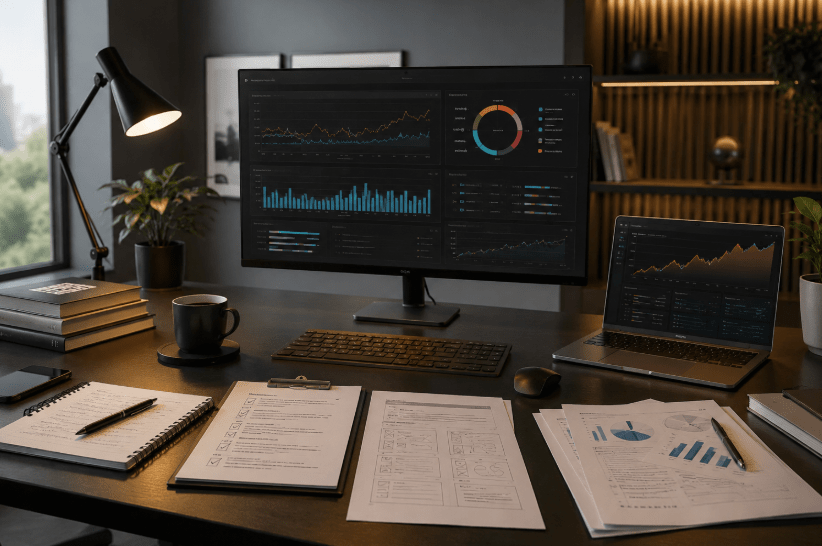
When discussing premium productivity monitors, few displays attract as much attention as the Samsung 49-inch Odyssey OLED G9. Although originally designed for high-end gaming enthusiasts, its massive 49-inch Dual QHD OLED display, expansive workspace, and multitasking capabilities also make it an exceptional option for SEO professionals, digital marketers, data analysts, and agencies managing multiple projects simultaneously.
Unlike conventional 27-inch or 32-inch monitors, the Odyssey OLED G9 effectively replaces a dual-monitor setup with a single seamless ultrawide display. This significantly reduces bezel interruptions while allowing users to work across multiple applications without constantly switching between windows. For professionals who regularly analyse large datasets, manage multiple browser tabs, and monitor several dashboards at once, this additional workspace can greatly improve productivity.
For example, an SEO specialist could comfortably display Google Search Console, Google Analytics 4, Looker Studio, Google Tag Manager, Ahrefs, Semrush, ChatGPT, and Google Sheets simultaneously on a single screen. This level of multitasking makes the Odyssey G9 particularly attractive for agencies, consultants, and enterprise SEO teams working with multiple clients.
Key Specifications
| Specification | Details |
|---|---|
| Display Size | 49 Inches |
| Resolution | Dual QHD (5120 × 1440) |
| Panel Type | OLED |
| Aspect Ratio | 32:9 UltraWide |
| Refresh Rate | 240Hz |
| Response Time | 0.03ms |
| Color Gamut | 99% DCI-P3 |
| HDR | HDR10+ Gaming |
| Curvature | 1800R |
| Connectivity | DisplayPort 1.4, HDMI 2.1, USB-C, USB Hub |
| Warranty | 3 Years |
Why It Stands Out for SEO Professionals
The biggest advantage of the Odyssey OLED G9 is its enormous horizontal workspace.
Instead of constantly minimizing windows, SEO professionals can organise their entire workflow efficiently.
Example layout:
| Left Screen | Center | Right Screen |
|---|---|---|
| Google Search Console | Google Analytics 4 | Looker Studio Dashboard |
| Keyword Research | Technical SEO Audit | AI Assistant |
This arrangement reduces unnecessary window switching and helps maintain focus during complex optimisation tasks.
Productivity Performance
| Workflow | Rating |
|---|---|
| Technical SEO |  |
| Keyword Research | |
| Content Writing | ☆ |
| Analytics Reporting | |
| AI Research | |
| Spreadsheet Analysis | |
| Multitasking | |
| Client Reporting | |
Display Quality
The OLED panel delivers:
- Excellent contrast
- Deep black levels
- Wide viewing angles
- Exceptional colour reproduction
Although SEO professionals may not require gaming-focused specifications such as a 240Hz refresh rate or 0.03ms response time, these features contribute to a smooth desktop experience, fluid scrolling, and responsive user interactions.
The 99% DCI-P3 colour coverage also benefits professionals working with web design, creative assets, landing pages, and digital marketing visuals.
SEO, AEO & GEO Workflow Compatibility
Modern SEO increasingly involves analysing AI-generated search experiences, semantic content, entity relationships, and analytics dashboards.
The Odyssey G9 provides sufficient screen space for simultaneously viewing:
- Google Search Console
- Google Analytics 4
- Google Tag Manager
- AI Overviews
- ChatGPT
- Gemini
- Technical audit reports
- Entity maps
- Competitor websites
This makes it particularly valuable for professionals experimenting with Answer Engine Optimization (AEO) and Generative Engine Optimization (GEO) workflows, where comparing multiple sources side by side is common.
Strengths:
The 32:9 aspect ratio allows several productivity applications to remain visible simultaneously, reducing context switching.
Exceptional OLED Display
High contrast and vibrant colours enhance readability and visual clarity during long work sessions.
Excellent Connectivity
Multiple ports support modern laptops, desktops, and external devices, making it suitable for complex workstations.
Picture-by-Picture Support
Professionals can display multiple input sources on a single monitor, useful for comparing systems or working across different devices.
Limitations
Despite its strengths, this monitor may not be ideal for every SEO professional.
The 49-inch size requires a large desk and adequate viewing distance.
Its premium price places it beyond the budget of many students, freelancers, and entry-level professionals.
Additionally, the 240Hz refresh rate and gaming-focused technologies offer limited practical benefits for SEO workflows compared with features like higher text clarity or ergonomic flexibility.
Pros & Cons
| Pros | Cons |
|---|---|
| Massive 49-inch ultrawide workspace | Premium price |
| OLED display with excellent colour accuracy | Requires a large desk |
| Outstanding multitasking capability | Gaming features exceed typical SEO needs |
| Ideal for multiple dashboards and browser windows | May be excessive for beginners |
| Strong connectivity options | Higher power consumption than smaller displays |
Overall Assessment
The Samsung Odyssey OLED G9 is best viewed as a premium productivity monitor that happens to include high-end gaming capabilities. Its expansive ultrawide display, exceptional multitasking potential, OLED image quality, and modern connectivity make it particularly well suited to enterprise SEO teams, agencies, consultants, and professionals managing complex workflows across analytics, technical SEO, AI-assisted research, and reporting.
For users who need maximum screen space and are willing to invest in a premium workspace, it is one of the strongest options available. However, for most individual SEO professionals, a high-quality 32-inch 4K monitor may provide a more practical balance of performance, ergonomics, and value.
BenQ MA320U (32") Review – The Best 4K Productivity Monitor for SEO Professionals in 2026
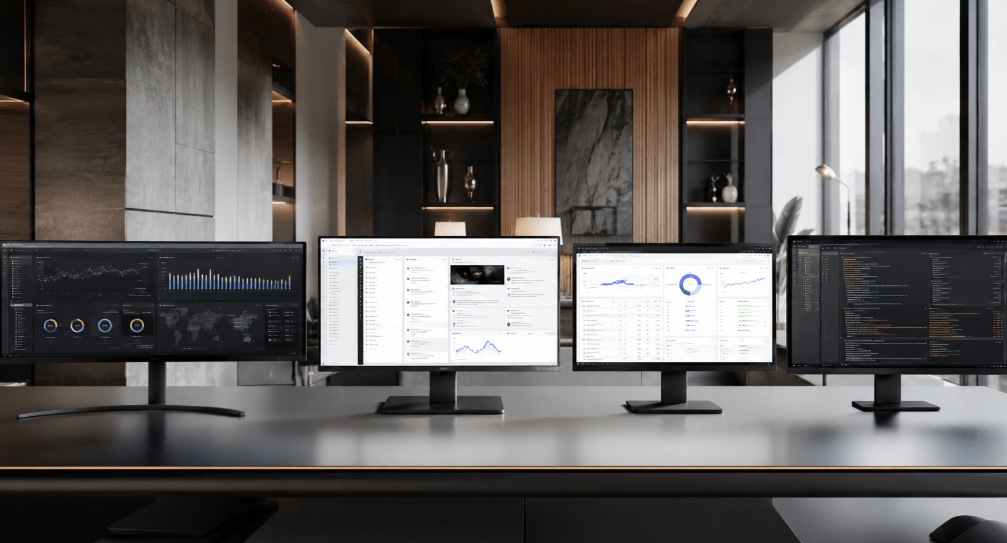
While ultrawide monitors offer exceptional multitasking capabilities, not every SEO professional requires a 49-inch display. Many freelancers, digital marketers, students, consultants, and in-house SEO specialists prefer a monitor that combines excellent text clarity, accurate colours, ergonomic comfort, and modern connectivity without occupying excessive desk space. This is where the BenQ MA320U 32-inch 4K IPS Monitor distinguishes itself.
Unlike gaming-focused monitors that prioritise refresh rates and response times, the BenQ MA320U is purpose-built for productivity. It is designed for professionals who spend long hours reading webpages, analysing Google Analytics reports, creating SEO strategies, editing content, reviewing technical audits, and managing multiple browser windows. Its combination of a 32-inch 4K IPS display, USB-C connectivity, Mac integration, and an ergonomic stand makes it one of the most practical monitors for professional digital marketing workflows.
For SEO specialists, screen clarity often matters more than gaming performance. Reading thousands of lines of website code, reviewing Search Console reports, working with spreadsheets, or analysing crawl reports demands sharp text rendering and sufficient screen space. The MA320U’s 4K UHD resolution delivers both.
Key Specifications
| Specification | Details |
|---|---|
| Display Size | 32 Inches |
| Resolution | 4K UHD (3840 × 2160) |
| Panel Type | IPS |
| Refresh Rate | 60Hz |
| Colour Gamut | 97% DCI-P3, 99% sRGB |
| Brightness | 550 nits |
| HDR | VESA DisplayHDR 600 |
| USB-C Power Delivery | 90W |
| Speakers | Dual 3W |
| Stand | Height, Tilt, Swivel & Pivot Adjustable |
| Warranty | 3 Years |
Why It Is Ideal for SEO Professionals
The BenQ MA320U has been designed with professional workflows in mind rather than entertainment.
A typical SEO setup might include:
- Google Search Console
- Google Analytics 4
- Google Tag Manager
- Looker Studio
- Ahrefs
- Semrush
- ChatGPT
- Google Sheets
- Microsoft Excel
- WordPress
Its 32-inch 4K display allows several of these applications to remain visible simultaneously while maintaining crisp text and comfortable readability.
For professionals working eight or more hours daily, this contributes to a more efficient and less fatiguing workflow.
Productivity Performance
| Workflow | Rating |
|---|---|
| Technical SEO | ⭐⭐⭐⭐⭐ |
| Keyword Research | ⭐⭐⭐⭐⭐ |
| Google Analytics 4 | ⭐⭐⭐⭐⭐ |
| Google Search Console | ⭐⭐⭐⭐⭐ |
| Google Tag Manager | ⭐⭐⭐⭐⭐ |
| Content Writing | ⭐⭐⭐⭐⭐ |
| AI Research | ⭐⭐⭐⭐⭐ |
| Spreadsheet Analysis | ⭐⭐⭐⭐⭐ |
| Client Reporting | ⭐⭐⭐⭐⭐ |
| Long Working Hours | ⭐⭐⭐⭐⭐ |
Display Quality
The IPS panel delivers consistent colours and wide viewing angles, making it suitable for content creators, digital marketers, and professionals who require reliable colour accuracy.
Its 97% DCI-P3 and 99% sRGB colour coverage help ensure that website graphics, landing pages, advertising creatives, and marketing assets appear accurate across different devices.
The 4K resolution significantly improves text sharpness compared with Full HD monitors. Reading documentation, reviewing long-form content, or auditing websites becomes noticeably more comfortable.
The Nano Matte coating also helps minimise reflections while preserving image quality, making the monitor well suited to bright office environments.
Connectivity & Mac Compatibility
One of the MA320U’s standout features is its USB-C connection with 90W Power Delivery.
This allows compatible laptops to:
- Display video
- Transfer data
- Charge simultaneously
using a single cable.
For professionals using MacBooks, this creates a clean workspace with fewer cables and simpler desk management.
The monitor also supports:
- HDMI
- USB-A
- USB-C
- Additional downstream ports
making it easy to connect storage devices, keyboards, mice, webcams, and other accessories.
SEO, AEO & GEO Workflow Compatibility
Modern SEO increasingly combines traditional optimisation with AI-assisted workflows.
Professionals may work simultaneously with:
- AI Overviews research
- ChatGPT
- Gemini
- Search Console
- Entity analysis
- Structured data testing
- Technical audits
- Analytics dashboards
The MA320U provides sufficient screen resolution to comfortably arrange multiple applications side by side without sacrificing readability.
Its combination of accurate colours, sharp text, ergonomic flexibility, and USB-C connectivity makes it particularly suitable for professionals working across SEO, Answer Engine Optimization (AEO), and Generative Engine Optimization (GEO).
Strengths
Outstanding Text Clarity
The 4K UHD resolution produces exceptionally sharp text, making documentation, spreadsheets, reports, and long-form content easier to read.
Professional Colour Accuracy
The IPS panel with wide colour gamut supports marketing, design, and content creation workflows alongside SEO tasks.
Excellent Ergonomics
Height adjustment, swivel, tilt, and pivot functions allow users to maintain comfortable viewing positions during extended work sessions.
USB-C Productivity
A single USB-C cable can handle charging, video, and data transfer, helping create a cleaner and more organised workspace.
Limitations
Although the MA320U is an excellent productivity monitor, it is not intended for competitive gaming.
Its 60Hz refresh rate is perfectly adequate for SEO and office work but will not appeal to users seeking high-refresh gaming experiences.
Additionally, professionals who require an ultra-wide workspace equivalent to two monitors may still prefer a 49-inch ultrawide display.
Pros & Cons
| Pros | Cons |
|---|---|
| Excellent 4K IPS display | 60Hz refresh rate |
| Outstanding text clarity | Not designed for competitive gaming |
| USB-C with 90W charging | Smaller workspace than ultrawide monitors |
| Highly ergonomic stand | Premium pricing compared with basic office monitors |
| Strong Mac and Windows compatibility | Built-in speakers are adequate but not exceptional |
Overall Assessment
The BenQ MA320U strikes an outstanding balance between display quality, ergonomics, connectivity, and productivity. Unlike gaming-oriented monitors, every major feature directly supports professional work, making it particularly attractive for SEO specialists, digital marketers, bloggers, analysts, content creators, and consultants.
Its sharp 4K resolution, accurate colours, flexible ergonomic design, and convenient USB-C connectivity create an environment well suited to long hours of technical SEO, analytics, AI-assisted research, and content development. For most professionals looking to invest in a monitor that enhances everyday productivity rather than gaming performance, the BenQ MA320U is the strongest overall recommendation in this comparison and earns the title of Editor’s Choice for SEO professionals in 2026.
BenQ Zowie XL2566X+ Review – Is a Professional Esports Monitor Suitable for SEO Professionals?
Can an esports monitor also serve as a productivity monitor for SEO professionals?
The answer depends entirely on the type of work you perform. While the XL2566X+ excels in gaming environments, SEO specialists generally have very different priorities.
Key Specifications
| Specification | Details |
|---|---|
| Display Size | 24.1 Inches |
| Resolution | Full HD (1920 × 1080) |
| Panel Type | Fast TN |
| Refresh Rate | 400Hz |
| Response Time | Extremely Low |
| Motion Technology | DyAc 2 |
| Ergonomic Stand | Height, Tilt & Swivel |
| Warranty | 3 Years |
Designed for Competitive Gaming
The XL2566X+ has been engineered to minimise motion blur and maximise responsiveness.
Key gaming features include:
- Fast TN Panel
- DyAc 2 Motion Clarity
- 400Hz Refresh Rate
- Adjustable Gaming Profiles
- Low Input Lag
- Professional Tournament Design
However, SEO professionals rarely benefit from such specifications during daily work.
Productivity Analysis
Unlike gaming, SEO workflows typically involve:
- Reading long articles
- Website audits
- Keyword research
- Google Analytics dashboards
- Google Search Console
- Google Tag Manager
- Excel spreadsheets
- Technical documentation
- AI research
- Content creation
These activities rely much more on:
- Higher resolution
- Larger workspace
- Better text rendering
- Comfortable ergonomics
- Colour consistency
than on extremely high refresh rates.
Productivity Ratings
| Workflow | Rating |
|---|---|
| Keyword Research | ⭐⭐⭐☆☆ |
| Technical SEO | ⭐⭐⭐☆☆ |
| Content Writing | ⭐⭐☆☆☆ |
| Google Analytics | ⭐⭐⭐☆☆ |
| Google Search Console | ⭐⭐⭐☆☆ |
| Google Tag Manager | ⭐⭐⭐☆☆ |
| AI Research | ⭐⭐☆☆☆ |
| Spreadsheet Work | ⭐⭐☆☆☆ |
| Long Working Hours | ⭐⭐☆☆☆ |
| Gaming | ⭐⭐⭐⭐⭐ |
Display Quality for Office Work
The monitor’s Fast TN panel is intentionally optimised for speed rather than colour accuracy.
Compared with modern IPS or OLED productivity displays:
- Viewing angles are narrower.
- Colour reproduction is less accurate.
- Text clarity benefits less from the Full HD resolution.
- The 24-inch screen provides limited workspace.
Although these trade-offs are perfectly acceptable in competitive gaming, professionals working with SEO reports, analytics dashboards, and long-form content are likely to prefer a larger, higher-resolution display.
SEO, AEO & GEO Workflow Compatibility
Modern SEO increasingly involves managing several tools simultaneously.
A typical workflow might include:
- Google Search Console
- Google Analytics 4
- Looker Studio
- ChatGPT
- Gemini
- WordPress
- Google Sheets
- Browser Developer Tools
On a 24-inch Full HD monitor, multitasking becomes more restrictive because fewer windows can be comfortably displayed at once.
This limitation makes the XL2566X+ less suitable for:
- AI-assisted research
- Entity analysis
- AEO workflows
- GEO workflows
- Dashboard monitoring
where screen real estate significantly improves productivity.
Strengths
Exceptional Motion Clarity
For gaming, few monitors match the clarity provided by the Fast TN panel and DyAc 2 technology.
Excellent Ergonomics
The adjustable stand allows users to customise viewing height, tilt, and swivel for comfortable positioning.
Professional Build Quality
BenQ’s Zowie series has earned a strong reputation for durability and reliability within the esports community.
Low Input Lag
The monitor delivers an extremely responsive experience during interactive applications and gaming.
Limitations
From an SEO perspective, several compromises become apparent.
The 24-inch Full HD resolution provides substantially less workspace than modern 32-inch 4K displays.
The TN panel prioritises speed over image quality.
The 400Hz refresh rate offers virtually no productivity advantage when reading reports, writing content, analysing websites, or configuring Google Tag Manager.
Consequently, much of the monitor’s premium price supports gaming performance rather than SEO productivity.
Pros & Cons
| Pros | Cons |
|---|---|
| Industry-leading motion clarity | Full HD resolution limits workspace |
| Excellent gaming performance | TN panel offers lower colour accuracy |
| Adjustable ergonomic stand | Small 24-inch screen for productivity |
| Durable professional build | Premium price aimed at esports users |
| Reliable performance | High refresh rate adds little value for SEO work |
Overall Assessment
The BenQ Zowie XL2566X+ is one of the world’s finest competitive gaming monitors, but its strengths are tailored to esports rather than professional SEO workflows. For users whose primary objective is search engine optimisation, analytics, content strategy, AI-assisted research, or digital marketing, features such as larger screen size, higher resolution, superior colour accuracy, and USB-C connectivity deliver far greater day-to-day value.
While the XL2566X+ can certainly be used for SEO tasks, it is difficult to recommend as a primary monitor for this purpose when similarly priced productivity-focused alternatives offer a significantly better working experience. Professionals building a workstation for SEO, AEO, GEO, and digital marketing will generally achieve better results with a high-quality 4K IPS or ultrawide display instead.
Complete Comparison, Buying Recommendations, FAQs & Final Verdict
A monitor should ultimately improve productivity, reduce eye strain, support multitasking, and remain comfortable during long working hours. Resolution, screen size, colour accuracy, ergonomics, USB-C connectivity, and overall workspace generally provide greater long-term value for SEO professionals than gaming-oriented specifications such as 400Hz refresh rates or ultra-low response times.
Complete Comparison Table
| Feature | Samsung Odyssey OLED G9 | BenQ MA320U | BenQ Zowie XL2566X+ | BenQ Zowie XL2586X+ |
|---|---|---|---|---|
| Approx. Price | ₹86,999 | ₹49,998 | ₹54,990 | ₹60,000+* |
| Screen Size | 49″ | 32″ | 24.1″ | 24.1″ |
| Resolution | Dual QHD | 4K UHD | Full HD | Full HD |
| Panel | OLED | IPS | Fast TN | Fast TN |
| Colour Accuracy | ⭐⭐⭐⭐⭐ | ⭐⭐⭐⭐⭐ | ⭐⭐⭐☆☆ | ⭐⭐⭐☆☆ |
| Text Clarity | ⭐⭐⭐⭐⭐ | ⭐⭐⭐⭐⭐ | ⭐⭐⭐☆☆ | ⭐⭐⭐☆☆ |
| Technical SEO | ⭐⭐⭐⭐⭐ | ⭐⭐⭐⭐⭐ | ⭐⭐⭐☆☆ | ⭐⭐⭐☆☆ |
| Google Analytics | ⭐⭐⭐⭐⭐ | ⭐⭐⭐⭐⭐ | ⭐⭐⭐☆☆ | ⭐⭐⭐☆☆ |
| Google Tag Manager | ⭐⭐⭐⭐⭐ | ⭐⭐⭐⭐⭐ | ⭐⭐⭐☆☆ | ⭐⭐⭐☆☆ |
| Content Writing | ⭐⭐⭐⭐☆ | ⭐⭐⭐⭐⭐ | ⭐⭐☆☆☆ | ⭐⭐☆☆☆ |
| Spreadsheet Work | ⭐⭐⭐⭐⭐ | ⭐⭐⭐⭐⭐ | ⭐⭐☆☆☆ | ⭐⭐☆☆☆ |
| AI Research | ⭐⭐⭐⭐⭐ | ⭐⭐⭐⭐⭐ | ⭐⭐⭐☆☆ | ⭐⭐⭐☆☆ |
| Multitasking | ⭐⭐⭐⭐⭐ | ⭐⭐⭐⭐⭐ | ⭐⭐☆☆☆ | ⭐⭐☆☆☆ |
| Ergonomics | ⭐⭐⭐⭐☆ | ⭐⭐⭐⭐⭐ | ⭐⭐⭐⭐☆ | ⭐⭐⭐⭐☆ |
| Overall SEO Rating | ⭐⭐⭐⭐⭐ | ⭐⭐⭐⭐⭐ | ⭐⭐☆☆☆ | ⭐⭐☆☆☆ |
*Availability and pricing may vary.
Which Monitor Should You Buy?
| User Type | Best Recommendation |
|---|---|
| SEO Beginner | BenQ MA320U |
| College Student | BenQ MA320U |
| Blogger | BenQ MA320U |
| Freelancer | BenQ MA320U |
| Digital Marketing Professional | BenQ MA320U |
| Technical SEO Specialist | Samsung Odyssey OLED G9 |
| Enterprise SEO Team | Samsung Odyssey OLED G9 |
| Digital Marketing Agency | Samsung Odyssey OLED G9 |
| Content Creator | BenQ MA320U |
| Competitive Gamer | BenQ Zowie XL2566X+ / XL2586X+ |
Productivity Comparison
| SEO Workflow | Best Monitor |
|---|---|
| Keyword Research | Samsung Odyssey OLED G9 |
| Technical SEO Audits | Samsung Odyssey OLED G9 |
| Google Analytics 4 | BenQ MA320U |
| Google Search Console | BenQ MA320U |
| Google Tag Manager | BenQ MA320U |
| Looker Studio | Samsung Odyssey OLED G9 |
| AI Research (AEO & GEO) | Samsung Odyssey OLED G9 |
| Long Content Writing | BenQ MA320U |
| Client Reporting | Samsung Odyssey OLED G9 |
| Daily Office Productivity | BenQ MA320U |
Pros & Cons Summary
| Monitor | Biggest Strength | Main Limitation |
|---|---|---|
| Samsung Odyssey OLED G9 | Massive multitasking workspace | Premium price and large desk requirement |
| BenQ MA320U | Best balance of productivity, clarity and ergonomics | 60Hz refresh rate may not suit gaming enthusiasts |
| BenQ Zowie XL2566X+ | Exceptional esports performance | Limited workspace for productivity |
| BenQ Zowie XL2586X+ | Elite gaming responsiveness | Designed primarily for gaming, not professional office work |
Editor’s Awards
🏆 Best Overall Monitor for SEO Professionals
BenQ MA320U
Its 32-inch 4K IPS display, USB-C connectivity with 90W Power Delivery, accurate colours, ergonomic stand, and outstanding text clarity make it the strongest all-round choice for most SEO professionals.
🏆 Best Premium Productivity Monitor
Samsung Odyssey OLED G9
For agencies, consultants, and professionals managing multiple dashboards simultaneously, the enormous ultrawide workspace significantly improves multitasking and workflow efficiency.
🏆 Best Gaming Monitor
BenQ Zowie XL2566X+
If your priority is competitive esports rather than SEO productivity, this monitor excels with its ultra-fast response time and 400Hz refresh rate.
Frequently Asked Questions
1. Is a 4K monitor worth it for SEO?
Yes. A 4K display provides sharper text, more workspace, and a better experience when working with analytics dashboards, spreadsheets, and technical SEO tools.
2. Is an ultrawide monitor useful for SEO?
Yes. Professionals who frequently multitask across Google Analytics, Search Console, spreadsheets, browsers, and AI tools can benefit greatly from an ultrawide display.
3. Do SEO professionals need a 240Hz or 400Hz monitor?
4. IPS or OLED—which is better?
Both are excellent. IPS panels offer consistent colours and sharp text at a lower price, while OLED provides deeper contrast and a more immersive viewing experience.
5. Is USB-C important?
Yes. USB-C with Power Delivery simplifies cable management by carrying video, data, and charging through a single cable for compatible laptops.
6. Which monitor is best for MacBook users?
The BenQ MA320U integrates particularly well with Mac devices through its colour tuning, USB-C connectivity, and productivity-focused design.
7. Can these monitors support AI-powered SEO workflows?
Yes. Larger, high-resolution displays make it easier to compare AI-generated content, analytics dashboards, entity research, and multiple browser windows.
8. Which monitor offers the best value?
For most professionals, the BenQ MA320U provides the best balance of performance, features, ergonomics, and price.
9. Should beginners buy a gaming monitor?
Not specifically for SEO work. Productivity-focused monitors generally provide a better long-term experience for reading, analysis, and content creation.
10. Which monitor would you recommend for long-term professional use?
The BenQ MA320U is the strongest overall recommendation because it combines display quality, ergonomic comfort, modern connectivity, and practical features that directly support SEO and digital marketing workflows.
Final Verdict
Selecting the right monitor is an investment in both productivity and long-term comfort. While gaming monitors excel at speed and responsiveness, SEO professionals benefit far more from high-resolution displays, ergonomic flexibility, accurate colours, and sufficient workspace for multitasking.
Among the monitors compared, the BenQ MA320U stands out as the most balanced option. Its sharp 4K IPS panel, USB-C connectivity, excellent ergonomics, and strong compatibility with professional workflows make it an outstanding choice for students, freelancers, bloggers, digital marketers, and SEO specialists.
The Samsung Odyssey OLED G9 is the premium option for agencies and enterprise users who require maximum screen space for complex workflows involving Google Search Console, Google Analytics, AI tools, and large reporting dashboards. Meanwhile, the BenQ Zowie models remain exceptional gaming displays but are less suitable as primary monitors for SEO productivity.
As search continues to evolve through AI-assisted experiences, Answer Engine Optimization (AEO), and Generative Engine Optimization (GEO), having a monitor that supports efficient multitasking and extended work sessions becomes increasingly valuable. The right display won’t improve your rankings by itself, but it can make the work behind successful SEO strategies faster, more comfortable, and more effective.
Affiliate Disclosure
This article may contain affiliate links. If you purchase a monitor through these links, I may earn a small commission at no additional cost to you. These commissions help support the research, testing, and educational content published on MarketingWithSoumyaditya.in. All recommendations are based on independent analysis and are intended to help readers make informed purchasing decisions.
Pingback: Google Ads Cost in India (2026): Pricing, Budget & ROI Guide
Pingback: Social Media Marketing Packages in India in 2026:The entire Guide