
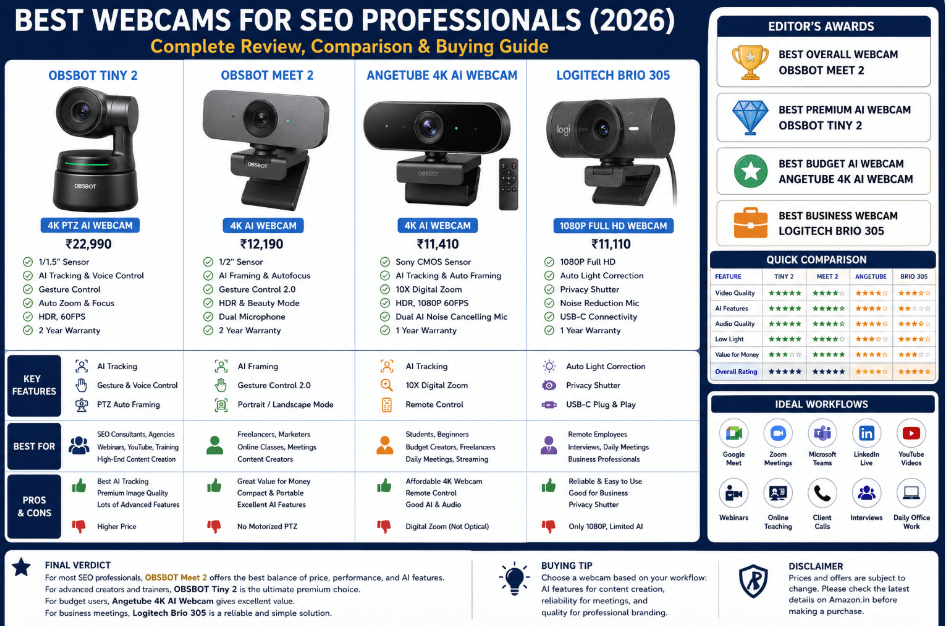
Best Webcams for SEO Professionals in 2026: Top 4 AI & 4K Webcams Compared
Why Every SEO Professional Needs a High-Quality Webcam in 2026
Whether you regularly conduct client consultations, record educational content, attend online interviews, or build your professional presence through LinkedIn and YouTube, investing in a reliable webcam can significantly improve both communication quality and personal branding. The following reviews will help you identify the model that best suits your workflow, budget, and long-term professional goals.
Why SEO Professionals Need a Premium Webcam
| Daily Workflow | Benefit of a High-Quality Webcam |
|---|---|
| Client Meetings | Clear, professional video builds trust |
| Google Meet & Zoom Calls | Better image quality and communication |
| SEO Consultations | Present reports confidently during video sessions |
| Job Interviews | Create a strong first impression |
| LinkedIn Live & Webinars | Higher production quality |
| YouTube Tutorials | Sharper video with better framing |
| Online Courses | Professional educational recordings |
| Team Collaboration | More engaging remote communication |
| Personal Branding | Enhances your professional online presence |
| Remote Work | Reliable video and audio for everyday meetings |
What We Evaluated
To ensure an objective comparison, each webcam in this guide is reviewed using the same evaluation framework.
| Evaluation Factor | Importance |
|---|---|
| Video Resolution | ⭐⭐⭐⭐⭐ |
| Image Sensor Quality | ⭐⭐⭐⭐⭐ |
| Autofocus Performance | ⭐⭐⭐⭐⭐ |
| AI Tracking & Framing | ⭐⭐⭐⭐☆ |
| Low-Light Performance | ⭐⭐⭐⭐⭐ |
| Built-in Microphones | ⭐⭐⭐⭐☆ |
| HDR Performance | ⭐⭐⭐⭐☆ |
| Ease of Setup | ⭐⭐⭐⭐⭐ |
| Software Compatibility | ⭐⭐⭐⭐⭐ |
| Overall Value for Professionals | ⭐⭐⭐⭐⭐ |
What You’ll Learn in This Guide
In the next sections, we’ll review each webcam individually, covering:
- Key specifications and standout features
- Video and image quality
- AI-powered capabilities
- Strengths and limitations
- Performance for SEO professionals, digital marketers, educators, and content creators
- Value for money
- Recommended use cases
Finally, we’ll compare all four webcams side by side, answer common buying questions, and recommend the best option for students, freelancers, agencies, remote professionals, and creators looking to upgrade their workspace in 2026.
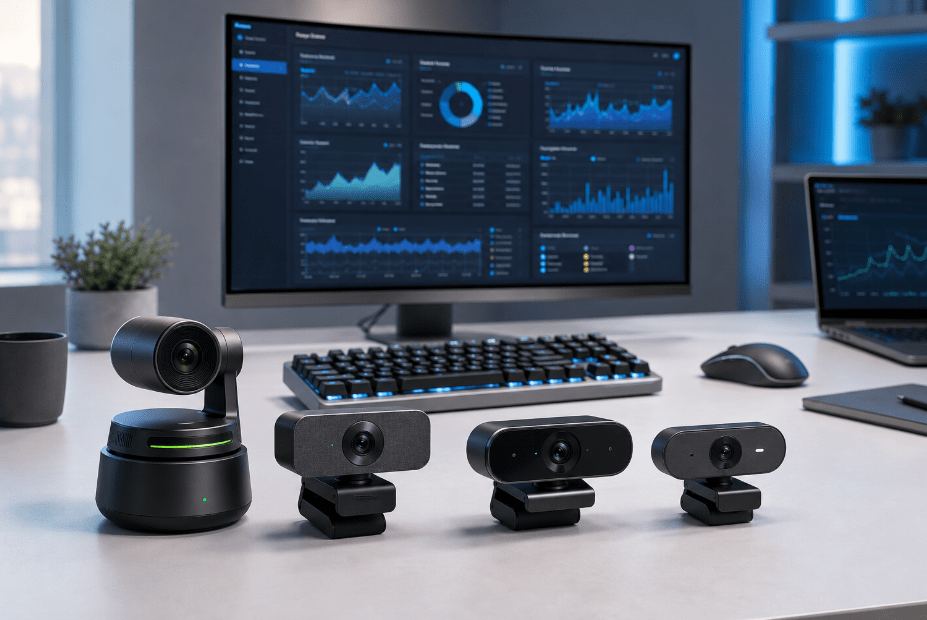
OBSBOT Tiny 2 Review – The Best Premium AI Webcam for SEO Professionals & Content Creators
As remote work, virtual collaboration, and AI-powered communication become increasingly common, professional webcams have evolved far beyond simple video calling devices. Today’s premium webcams incorporate intelligent subject tracking, gesture recognition, HDR imaging, advanced autofocus, and AI-powered framing to enhance the overall video conferencing experience. Among the leading products in this category, the OBSBOT Tiny 2 stands out as one of the most advanced AI webcams currently available.
Unlike conventional webcams that remain fixed in a single position, the OBSBOT Tiny 2 features a motorized PTZ (Pan-Tilt-Zoom) system combined with artificial intelligence. This enables the camera to automatically follow the user, adjust framing, zoom intelligently, and maintain sharp focus while the presenter moves naturally around the room. For SEO consultants, digital marketing trainers, educators, webinar hosts, and content creators, these capabilities can significantly improve presentation quality without requiring manual camera adjustments.
Whether you’re presenting an SEO audit, explaining Google Analytics 4 reports, demonstrating Google Tag Manager, recording YouTube tutorials, or conducting client strategy sessions, the OBSBOT Tiny 2 helps maintain a polished and professional appearance throughout the meeting.
Key Specifications
| Specification | Details |
|---|---|
| Camera Resolution | 4K UHD |
| Sensor Size | 1/1.5-inch CMOS |
| Video Modes | 4K at 30fps, 1080p at 60fps |
| AI Tracking | Yes |
| Auto Zoom | Yes |
| Autofocus | All-Pixel Autofocus |
| HDR | Yes |
| Gesture Control | Yes |
| Voice Control | Yes |
| Connectivity | USB |
| Warranty | 2 Years |
Why It Is Ideal for SEO Professionals
Modern SEO professionals rarely spend their entire workday writing articles. Their responsibilities often include:
- Client meetings
- Website consultations
- Technical SEO presentations
- Online workshops
- LinkedIn Live sessions
- YouTube tutorials
- Team collaboration
- Remote interviews
During these activities, maintaining consistent framing while moving naturally improves both professionalism and audience engagement.
The OBSBOT Tiny 2’s AI-powered tracking eliminates the need to remain seated in one position, allowing presenters to interact more comfortably during demonstrations or training sessions.
Productivity Performance
| Workflow | Rating |
|---|---|
| Google Meet | ⭐⭐⭐⭐⭐ |
| Zoom Meetings | ⭐⭐⭐⭐⭐ |
| Microsoft Teams | ⭐⭐⭐⭐⭐ |
| SEO Client Calls | ⭐⭐⭐⭐⭐ |
| YouTube Recording | ⭐⭐⭐⭐⭐ |
| LinkedIn Live | ⭐⭐⭐⭐⭐ |
| Online Teaching | ⭐⭐⭐⭐⭐ |
| Webinar Hosting | ⭐⭐⭐⭐⭐ |
| Live Streaming | ⭐⭐⭐⭐⭐ |
| Remote Interviews | ⭐⭐⭐⭐⭐ |
Video Quality
One of the standout features of the OBSBOT Tiny 2 is its large 1/1.5-inch CMOS sensor, which captures significantly more light than many standard webcams.
Advantages include:
- Improved low-light performance
- Better colour reproduction
- Reduced image noise
- Sharper facial detail
- More natural skin tones
The webcam supports 4K Ultra HD recording at 30fps and Full HD recording at 60fps, making it suitable for professional meetings as well as high-quality content creation.
Its HDR processing further enhances image quality by balancing highlights and shadows, producing clear video even when lighting conditions are challenging.
AI Features
The OBSBOT Tiny 2 distinguishes itself through several intelligent capabilities.
AI Auto Tracking
The webcam automatically follows the speaker, keeping them centred within the frame during presentations.
Auto Zoom
The camera intelligently adjusts zoom levels according to movement, maintaining an appropriate composition.
Gesture Control
Users can activate tracking, control zoom, or adjust framing using simple hand gestures without touching the device.
Voice Control
Support for voice commands enables hands-free operation, allowing presenters to manage camera functions while remaining focused on their audience.
All-Pixel Autofocus
The advanced autofocus system quickly locks onto faces and maintains sharp image quality even when subjects move.
SEO, AEO & GEO Workflow Compatibility
SEO professionals increasingly produce educational content alongside optimisation work.
The OBSBOT Tiny 2 is particularly well suited for:
- SEO tutorials
- Google Analytics demonstrations
- Google Search Console walkthroughs
- Technical SEO training
- AI Search presentations
- Answer Engine Optimization (AEO) webinars
- Generative Engine Optimization (GEO) discussions
- LinkedIn video content
- Professional online courses
Its AI-powered tracking and superior image quality allow creators to focus on delivering valuable information rather than adjusting camera positioning.
Strengths
Outstanding AI Tracking
The PTZ system provides smooth automatic tracking that enhances presentations and educational videos.
Excellent Image Quality
The large image sensor and HDR support produce clear, detailed video in a variety of lighting conditions.
Professional Automation
Gesture and voice controls simplify operation, making the webcam suitable for hands-free presentations.
Premium Build Quality
OBSBOT has designed the Tiny 2 with professionals and creators in mind, offering reliable performance for demanding workflows.
Limitations
Despite its impressive capabilities, the OBSBOT Tiny 2 may not be necessary for every user.
Its premium price places it above the budget of many students and entry-level professionals.
Additionally, users who primarily attend occasional video meetings may not fully benefit from advanced PTZ tracking or voice-control features.
Pros & Cons
| Pros | Cons |
|---|---|
| Exceptional 4K image quality | Premium price |
| Large 1/1.5-inch sensor | Advanced features may exceed basic meeting needs |
| AI-powered tracking and framing | Voice controls require familiarisation |
| Gesture and voice control | Better suited to professionals than casual users |
| Excellent autofocus and HDR | Requires desk space for motorised movement |
Overall Assessment
The OBSBOT Tiny 2 is one of the most capable AI-powered webcams currently available for professional users. Its combination of a large image sensor, 4K resolution, intelligent tracking, gesture control, voice commands, HDR processing, and fast autofocus makes it particularly valuable for SEO professionals, consultants, educators, digital marketers, and content creators who regularly communicate through video.
While its premium price means it may not be the ideal choice for every budget, professionals who frequently conduct client meetings, webinars, online training, LinkedIn Live sessions, or YouTube tutorials are likely to appreciate its advanced automation and exceptional image quality. For users seeking the most feature-rich webcam in this comparison, the OBSBOT Tiny 2 earns the title of Best Premium AI Webcam for SEO Professionals in 2026.
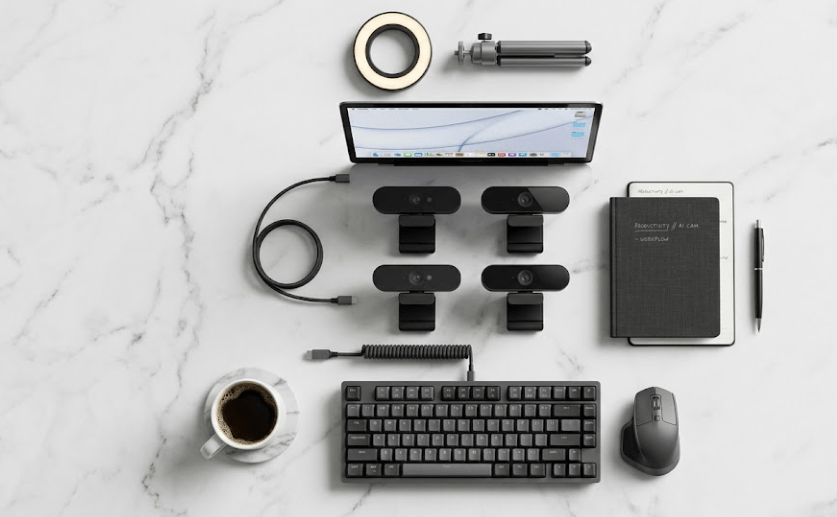
OBSBOT Meet 2 Review – The Best Value AI 4K Webcam for SEO Professionals in 2026
Not every SEO professional requires a premium motorized PTZ webcam. While advanced tracking systems offer impressive automation, many freelancers, digital marketers, bloggers, consultants, students, and remote professionals simply need a webcam that delivers excellent image quality, reliable autofocus, intelligent framing, and effortless setup. This is exactly where the OBSBOT Meet 2 AI Webcam positions itself.
The OBSBOT Meet 2 combines many of the intelligent AI features found in higher-end webcams with a compact and lightweight design. Equipped with a 1/2-inch CMOS sensor, 4K Ultra HD resolution, AI framing, gesture control, HDR, fast autofocus, and dual noise-cancelling microphones, it offers an excellent balance between professional performance and affordability.
For SEO professionals who regularly attend Google Meet calls, client consultations, LinkedIn interviews, webinars, YouTube recordings, or online training sessions, the OBSBOT Meet 2 provides premium functionality without the higher investment required for motorized PTZ cameras.
Key Specifications
| Specification | Details |
|---|---|
| Camera Resolution | 4K Ultra HD |
| Sensor Size | 1/2-inch CMOS |
| AI Framing | Yes |
| Autofocus | AI Fast Autofocus |
| HDR | Yes |
| Gesture Control | Yes |
| Beauty Mode | Yes |
| Dual Microphones | AI Noise Reduction |
| Connectivity | USB-C |
| Orientation | Portrait & Landscape |
| Warranty | 2 Years |
Why It Is Ideal for SEO Professionals
Today’s SEO work involves much more than website optimization.
Professionals frequently participate in:
- Client strategy meetings
- Remote interviews
- Team discussions
- Online consultations
- LinkedIn Live sessions
- SEO webinars
- Content creation
- AI workshops
- Training programs
The OBSBOT Meet 2 helps professionals appear polished and confident during every meeting without requiring complicated camera adjustments.
Its AI framing automatically keeps the user properly positioned within the frame, allowing presenters to move naturally while maintaining professional composition.
Productivity Performance
| Workflow | Rating |
|---|---|
| Google Meet | ⭐⭐⭐⭐⭐ |
| Zoom Meetings | ⭐⭐⭐⭐⭐ |
| Microsoft Teams | ⭐⭐⭐⭐⭐ |
| LinkedIn Live | ⭐⭐⭐⭐⭐ |
| YouTube Videos | ⭐⭐⭐⭐☆ |
| Online Courses | ⭐⭐⭐⭐⭐ |
| Client Presentations | ⭐⭐⭐⭐⭐ |
| SEO Training | ⭐⭐⭐⭐⭐ |
| Remote Interviews | ⭐⭐⭐⭐⭐ |
| Daily Office Work | ⭐⭐⭐⭐⭐ |
Video Quality
The 1/2-inch CMOS sensor captures considerably more light than many conventional office webcams.
Benefits include:
- Sharper video
- Better colour accuracy
- Reduced image noise
- Improved low-light performance
- Natural facial appearance
The webcam records in 4K resolution, making it suitable for professional meetings, webinars, online courses, and content creation.
Its HDR processing balances bright and dark areas automatically, producing clearer images even in challenging lighting environments.
AI Features
Although more compact than the OBSBOT Tiny 2, the Meet 2 includes several intelligent features that significantly improve the user experience.
AI Auto Framing
Automatically adjusts framing to keep the speaker centred during meetings and presentations.
Fast Autofocus
Maintains consistent image sharpness without distracting focus hunting.
Gesture Control
Users can activate AI framing and zoom functions using simple hand gestures.
Portrait & Landscape Modes
The camera quickly switches between horizontal and vertical orientations, making it useful for YouTube, LinkedIn, Instagram, and other content platforms.
Beauty Mode
Optional appearance enhancement allows users to make subtle adjustments while maintaining a natural look during professional calls.
SEO, AEO & GEO Workflow Compatibility
SEO professionals increasingly combine optimisation work with content creation.
Typical workflows include:
- Google Search Console tutorials
- Google Analytics demonstrations
- AI Search presentations
- Answer Engine Optimization (AEO) webinars
- Generative Engine Optimization (GEO) discussions
- LinkedIn educational videos
- Client consultations
- Online workshops
The OBSBOT Meet 2 supports these activities through reliable autofocus, AI framing, HDR processing, and professional image quality.
Its compact size also makes it an excellent choice for professionals who frequently travel or work from different locations.
Strengths
Excellent Value
The Meet 2 delivers many premium AI features at a significantly lower price than flagship PTZ webcams.
Compact Design
Its lightweight construction makes it easy to transport between home, office, and client locations.
Reliable AI Features
AI framing, autofocus, gesture controls, and HDR improve video quality without increasing setup complexity.
USB-C Connectivity
Modern USB-C compatibility supports fast plug-and-play installation across Windows and macOS systems.
Limitations
The OBSBOT Meet 2 does not include the motorized pan-tilt tracking system available on the OBSBOT Tiny 2.
Professionals who regularly deliver presentations while walking around a room may prefer the larger PTZ model.
Additionally, advanced users requiring optical camera movement or more sophisticated presenter tracking may find the Tiny 2 better suited to their workflow.
Pros & Cons
| Pros | Cons |
|---|---|
| Excellent 4K image quality | No motorized PTZ movement |
| AI framing and autofocus | Fewer advanced tracking features than Tiny 2 |
| Compact and portable | Beauty mode may not appeal to every professional |
| USB-C plug-and-play connectivity | Premium compared with entry-level webcams |
| Outstanding value for money | Limited manual camera movement |
Overall Assessment
The OBSBOT Meet 2 offers one of the strongest value propositions among modern AI webcams. It successfully combines 4K image quality, intelligent framing, HDR, fast autofocus, gesture controls, USB-C connectivity, and compact portability into a product that is well suited to the everyday needs of SEO professionals, digital marketers, consultants, educators, freelancers, and content creators.
While it lacks the motorized PTZ capabilities of the more expensive OBSBOT Tiny 2, it delivers nearly all of the features that most professionals use on a daily basis. For users seeking an affordable AI-powered webcam that balances performance, simplicity, and modern functionality, the OBSBOT Meet 2 earns the title of Best Value AI Webcam for SEO Professionals in 2026 and is an excellent choice for building a professional remote workspace.
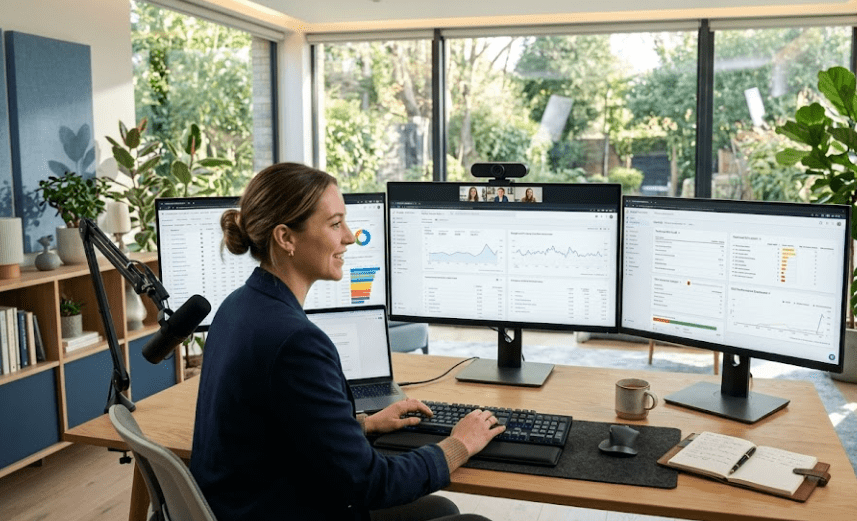
Angetube 4K AI Webcam Review – The Best Budget 4K AI Webcam for SEO Professionals
Premium AI webcams have become increasingly popular among professionals who regularly attend virtual meetings, create educational content, and conduct client presentations. However, not every SEO specialist, freelancer, or student wants to invest ₹20,000 or more in a webcam. Many professionals simply need a reliable device that delivers sharp 4K video, dependable autofocus, AI-assisted framing, HDR support, and quality microphones at a more accessible price. This is where the Angetube 4K AI Webcam offers excellent value.
Powered by a Sony CMOS sensor, the Angetube 4K AI Webcam combines modern AI features with practical functionality for remote work. It supports 4K Ultra HD recording, AI face tracking, 10× digital zoom, HDR, dual AI noise-cancelling microphones, and a remote control, making it suitable for SEO professionals, digital marketers, educators, content creators, and remote workers seeking professional video quality without purchasing a flagship webcam.
Unlike entry-level webcams that primarily focus on basic video calls, the Angetube model provides several intelligent features that improve both productivity and presentation quality, particularly for users conducting online consultations, webinars, and training sessions.
Key Specifications
| Specification | Details |
|---|---|
| Camera Resolution | 4K Ultra HD (3840 × 2160) |
| Sensor | Sony CMOS |
| Video Modes | 4K at 30fps / 1080p at 60fps |
| AI Tracking | Yes |
| Auto Framing | Yes |
| Digital Zoom | 10× |
| HDR | Yes |
| Microphones | Dual AI Noise-Cancelling |
| Connectivity | USB 3.0 / USB-C |
| Remote Control | Included |
| Warranty | 1 Year |
Why It Is Ideal for SEO Professionals
Modern SEO work extends well beyond website optimisation.
Professionals frequently participate in:
- Google Meet consultations
- Zoom client meetings
- Microsoft Teams collaboration
- LinkedIn interviews
- Website strategy discussions
- SEO webinars
- Technical training
- Remote job interviews
- Educational video creation
The Angetube webcam provides sufficient image quality and intelligent automation to handle these scenarios confidently.
Its AI-powered face detection automatically keeps the speaker framed during presentations, reducing the need for manual adjustments while allowing natural movement.
Productivity Performance
| Workflow | Rating |
|---|---|
| Google Meet | ⭐⭐⭐⭐⭐ |
| Zoom Meetings | ⭐⭐⭐⭐⭐ |
| Microsoft Teams | ⭐⭐⭐⭐⭐ |
| SEO Client Calls | ⭐⭐⭐⭐☆ |
| LinkedIn Live | ⭐⭐⭐⭐☆ |
| YouTube Recording | ⭐⭐⭐⭐☆ |
| Online Teaching | ⭐⭐⭐⭐⭐ |
| Webinar Hosting | ⭐⭐⭐⭐☆ |
| Remote Interviews | ⭐⭐⭐⭐⭐ |
| Daily Office Work | ⭐⭐⭐⭐⭐ |
Video Quality
One of the strongest aspects of the Angetube webcam is its Sony CMOS sensor, which produces detailed images with accurate colours and improved low-light performance compared with many standard office webcams.
Key image quality benefits include:
- 4K Ultra HD recording
- Full HD 60fps support
- Better colour accuracy
- Improved dynamic range
- Reduced image noise
The integrated HDR technology further enhances image quality by balancing bright and dark areas automatically, ensuring consistent exposure during professional meetings.
AI Features
The webcam includes several intelligent capabilities that improve usability during presentations.
AI Face Tracking
Automatically detects and follows the presenter, helping maintain professional framing.
Auto Framing
Adjusts the viewing area according to the number of participants, making it useful for both individual presentations and small group meetings.
10× Digital Zoom
Allows users to adjust framing without physically repositioning the webcam.
Remote Control
A dedicated remote enables convenient control over:
- AI Tracking
- Zoom
- Brightness
- Image Flip
- Microphone Mute
- Video Control
This feature is particularly valuable during webinars and online training sessions.
Audio Performance
The webcam includes dual AI noise-cancelling microphones that help reduce background sounds while improving voice clarity.
For:
- Client meetings
- Online interviews
- Daily collaboration
- Team discussions
the integrated microphones provide sufficient audio quality.
However, professionals producing podcasts or high-end YouTube videos may still prefer pairing the webcam with a dedicated USB or XLR microphone.
SEO, AEO & GEO Workflow Compatibility
SEO professionals increasingly create educational content explaining:
- Google Search Console
- Google Analytics 4
- Technical SEO
- AI Search
- Answer Engine Optimization (AEO)
- Generative Engine Optimization (GEO)
- Keyword Research
- Content Strategy
The Angetube webcam supports these activities through:
- Reliable 4K image quality
- AI framing
- HDR
- Noise reduction
- Remote operation
This combination makes it well suited for professionals beginning to build their online presence.
Strengths
Excellent Value
The Angetube webcam delivers numerous premium AI features at a price significantly lower than flagship PTZ webcams.
Remote Control
Few webcams in this price range include a dedicated remote for controlling framing, zoom, and AI functions.
Strong Video Quality
The Sony CMOS sensor produces sharp, vibrant video with good colour accuracy.
Wide Compatibility
The webcam works with Windows, macOS, Linux, ChromeOS, Zoom, Google Meet, Microsoft Teams, Skype, and many other platforms.
Limitations
Although the webcam offers excellent value, it does have some compromises.
The 10× digital zoom is less effective than true optical zoom and may reduce image quality at maximum magnification.
Its AI tracking is also less advanced than the motorised PTZ tracking available on premium models such as the OBSBOT Tiny 2.
Additionally, the one-year warranty is shorter than the coverage offered by some competitors.
Pros & Cons
| Pros | Cons |
|---|---|
| Excellent 4K Sony CMOS image quality | Digital zoom instead of optical zoom |
| AI tracking and auto framing | AI tracking less advanced than premium PTZ webcams |
| HDR support | One-year warranty |
| Dual AI noise-cancelling microphones | Software ecosystem less mature than some competitors |
| Remote control included | Premium users may prefer more advanced tracking systems |
Overall Assessment
The Angetube 4K AI Webcam offers an impressive balance between price and functionality. It successfully combines sharp 4K video, AI-powered framing, HDR, remote control, dual noise-cancelling microphones, and broad platform compatibility into a webcam that meets the needs of most SEO professionals, freelancers, educators, digital marketers, and remote workers.
While it does not provide the sophisticated motorised tracking system found in flagship AI webcams, it delivers many practical features that enhance everyday meetings, webinars, online teaching, and content creation. For professionals seeking an affordable upgrade without sacrificing modern AI capabilities, the Angetube 4K AI Webcam stands out as one of the best budget-friendly 4K AI webcams for SEO professionals in 2026.
Complete Comparison, Buying Guide, FAQs & Final Verdict
The four webcams reviewed in this guide represent different budgets and workflows. Some focus on AI-powered automation, while others prioritize affordability or simplicity. Rather than recommending the most expensive option, it’s more useful to identify the webcam that best aligns with your professional requirements.
If your daily work involves frequent client presentations, online training, webinars, and educational content, investing in advanced AI features may be worthwhile. However, if your primary need is dependable video conferencing for meetings and interviews, a more affordable webcam can still deliver excellent results.
Complete Comparison Table
| Feature | OBSBOT Tiny 2 | OBSBOT Meet 2 | Angetube 4K AI Webcam | Logitech Brio 305 |
|---|---|---|---|---|
| Approx. Price | ₹22,990 | ₹12,190 | ₹11,410 | ₹11,110 |
| Resolution | 4K | 4K | 4K | 1080p Full HD |
| Sensor | 1/1.5″ CMOS | 1/2″ CMOS | Sony CMOS | CMOS |
| AI Tracking | ⭐⭐⭐⭐⭐ | ⭐⭐⭐⭐☆ | ⭐⭐⭐⭐☆ | ⭐⭐☆☆☆ |
| Autofocus | ⭐⭐⭐⭐⭐ | ⭐⭐⭐⭐⭐ | ⭐⭐⭐⭐☆ | ⭐⭐⭐⭐☆ |
| HDR | ⭐⭐⭐⭐⭐ | ⭐⭐⭐⭐⭐ | ⭐⭐⭐⭐☆ | ⭐⭐⭐☆☆ |
| Gesture Control | ✅ | ✅ | ❌ | ❌ |
| Voice Control | ✅ | ❌ | ❌ | ❌ |
| AI Framing | ⭐⭐⭐⭐⭐ | ⭐⭐⭐⭐⭐ | ⭐⭐⭐⭐☆ | ⭐⭐☆☆☆ |
| Noise-Cancelling Mics | ⭐⭐⭐⭐⭐ | ⭐⭐⭐⭐☆ | ⭐⭐⭐⭐☆ | ⭐⭐⭐⭐☆ |
| SEO Productivity | ⭐⭐⭐⭐⭐ | ⭐⭐⭐⭐⭐ | ⭐⭐⭐⭐☆ | ⭐⭐⭐⭐☆ |
| Overall Rating | ⭐⭐⭐⭐⭐ | ⭐⭐⭐⭐⭐ | ⭐⭐⭐⭐☆ | ⭐⭐⭐⭐☆ |
Best Webcam for Different Users
| User Type | Recommended Webcam |
|---|---|
| SEO Beginner | Logitech Brio 305 |
| College Student | Angetube 4K AI Webcam |
| Freelancer | OBSBOT Meet 2 |
| SEO Consultant | OBSBOT Tiny 2 |
| Digital Marketing Agency | OBSBOT Tiny 2 |
| Content Creator | OBSBOT Tiny 2 |
| YouTube Educator | OBSBOT Tiny 2 |
| LinkedIn Creator | OBSBOT Meet 2 |
| Remote Employee | Logitech Brio 305 |
| Professional Trainer | OBSBOT Tiny 2 |
Workflow Comparison
| Daily Task | Best Webcam |
|---|---|
| Google Meet | OBSBOT Tiny 2 |
| Zoom Meetings | OBSBOT Tiny 2 |
| Microsoft Teams | OBSBOT Meet 2 |
| LinkedIn Live | OBSBOT Tiny 2 |
| YouTube Tutorials | OBSBOT Tiny 2 |
| SEO Client Calls | OBSBOT Meet 2 |
| Online Teaching | OBSBOT Tiny 2 |
| Webinars | OBSBOT Tiny 2 |
| Job Interviews | OBSBOT Meet 2 |
| Daily Office Meetings | Logitech Brio 305 |
| Webcam | Biggest Strength | Main Limitation |
|---|---|---|
| OBSBOT Tiny 2 | AI PTZ tracking and premium image quality | Highest price |
| OBSBOT Meet 2 | Excellent value with AI features | No motorized tracking |
| Angetube 4K AI Webcam | Affordable 4K with AI framing | Digital zoom instead of optical zoom |
| Logitech Brio 305 | Reliable business webcam with easy setup | Full HD only and limited AI features |
Editor’s Awards
🏆 Best Overall Webcam for SEO Professionals
OBSBOT Meet 2
The OBSBOT Meet 2 offers the strongest balance between image quality, AI features, affordability, portability, and ease of use. For most SEO professionals, consultants, and digital marketers, it provides everything needed for professional meetings and content creation without the premium cost of a PTZ camera.
🏆 Best Premium AI Webcam
OBSBOT Tiny 2
For professionals producing webinars, YouTube tutorials, online courses, and advanced presentations, the OBSBOT Tiny 2 delivers outstanding AI tracking, gesture control, voice commands, HDR, and exceptional 4K image quality.
🏆 Best Budget AI Webcam
Angetube 4K AI Webcam
A strong choice for freelancers, students, and professionals seeking AI-powered features at a competitive price.
🏆 Best Business Webcam
Logitech Brio 305
Frequently Asked Questions
1. Do SEO professionals really need a 4K webcam?
2. Is AI tracking useful?
Yes. AI tracking helps keep you centred during presentations, webinars, and online teaching, making your videos appear more professional.
3. Which webcam is best for Google Meet?
4. Which webcam is best for Zoom meetings?
5. Is Full HD enough for business meetings?
Yes. A good 1080p webcam like the Logitech Brio 305 is sufficient for most professional meetings and interviews.
6. Which webcam performs best in low light?
The OBSBOT Tiny 2, thanks to its larger 1/1.5-inch sensor and HDR processing.
7. Should I buy an AI webcam or a standard webcam?
If you regularly present, teach, stream, or create content, AI features can improve your workflow. If you mainly attend meetings, a standard webcam may be enough.
8. Which webcam offers the best value?
The OBSBOT Meet 2 stands out by combining AI framing, 4K video, HDR, autofocus, and USB-C connectivity at a competitive price.
9. Are built-in microphones good enough?
For meetings, yes. For podcasting, professional voiceovers, or YouTube production, a dedicated microphone will usually provide better audio quality.
10. Which webcam would you recommend for long-term professional use?
The OBSBOT Meet 2 is the strongest all-round recommendation for most SEO professionals due to its balance of quality, intelligent features, portability, and price.
Final Verdict
As remote collaboration, AI-assisted workflows, and online content creation continue to grow, investing in a quality webcam has become an important part of building a professional digital workspace. The right webcam improves communication, strengthens your personal brand, and helps you present your expertise with confidence during meetings, interviews, webinars, and educational videos.
Among the four models compared, the OBSBOT Meet 2 delivers the best overall balance of performance, modern AI features, portability, and affordability, making it the top recommendation for most SEO professionals and digital marketers. The OBSBOT Tiny 2 remains the premium choice for users who need advanced PTZ tracking and professional-grade automation, while the Angetube 4K AI Webcam offers excellent value for budget-conscious buyers. For users whose primary focus is reliable business meetings, the Logitech Brio 305 provides a dependable and easy-to-use solution.
Ultimately, the best webcam is the one that supports your workflow and helps you communicate clearly and professionally. Whether you’re explaining Google Analytics reports, presenting technical SEO audits, teaching online, or building your presence on LinkedIn and YouTube, choosing the right webcam can enhance both productivity and credibility.
Affiliate Disclosure
This article may contain affiliate links. If you purchase a product through these links, I may earn a small commission at no additional cost to you. These commissions help support the research, testing, and educational content published on MarketingWithSoumyaditya.in. All recommendations are based on independent analysis of product specifications, features, and suitability for SEO professionals, helping readers make informed purchasing decisions.
Pingback: Social Media Marketing Packages in India in 2026:The entire Guide